Qwen-Image-2.1 Uncensored: Run Unrestricted ComfyUI with GGUF & Heretic
Master running Qwen-Image-2.1 Uncensored in ComfyUI using GGUF DiT and Heretic Text Encoder. Bypass refusal filters and optimize VRAM on RTX and Apple Silicon.

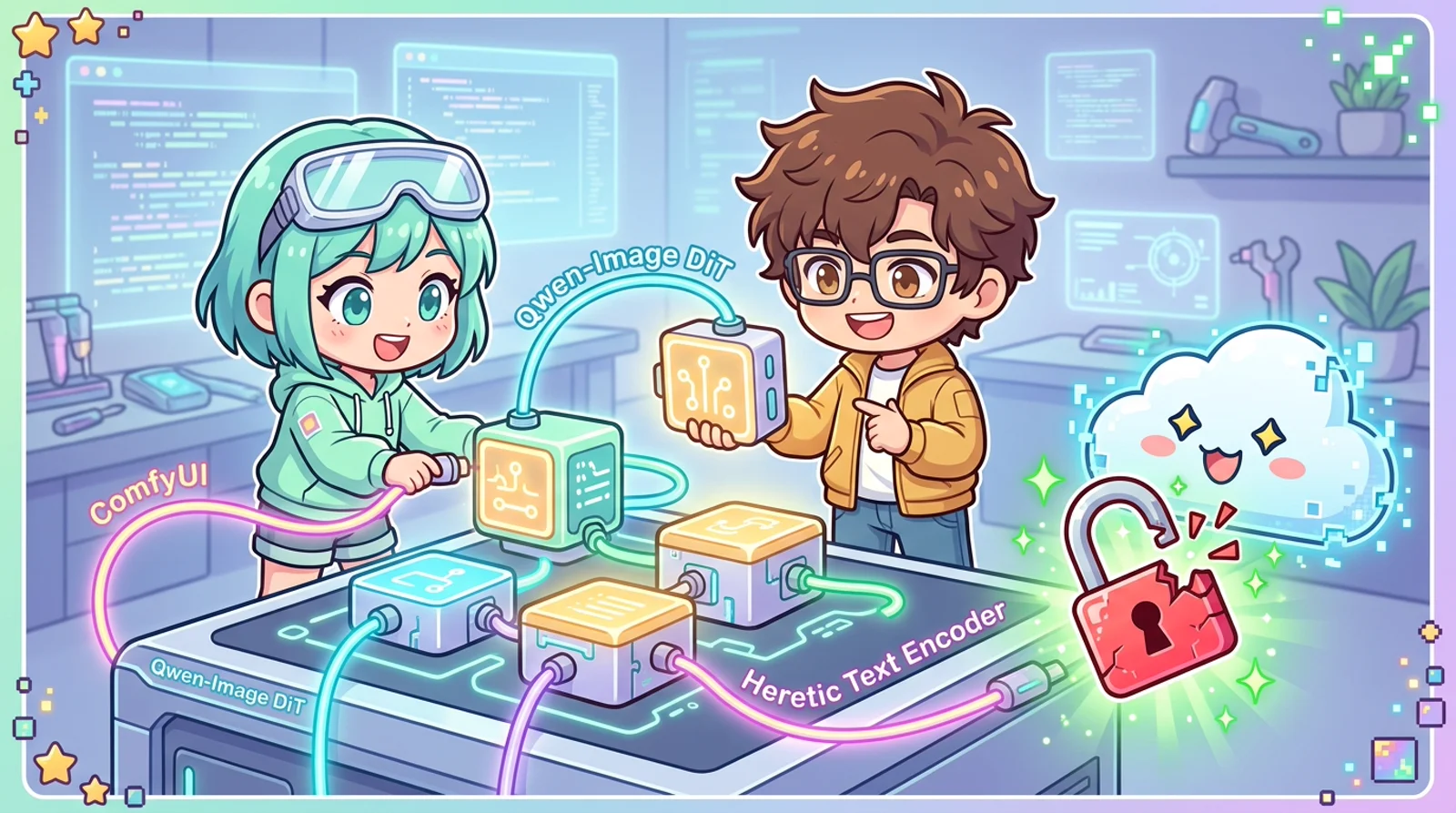
What are you looking for? This article covers Qwen-Image-2.1 Uncensored GGUF setup - removing refusal filters with the Heretic text encoder. If you want to accelerate inference 10x with 4-step DMD2 distillation, see the dedicated guide: Qwen-Image-2.1 Viggle Turbo LoRA: 4-Step DMD2 Speed Guide.
Nothing drains creative momentum faster than paying $30 a month for commercial cloud AI generators only to trigger a harsh red warning: “Your prompt violates safety policy” when rendering a classical anatomical study or a gothic surrealist concept. Corporate morality filters reduce powerful diffusion models into condescending black boxes.
When Alibaba released Qwen-Image-2.1, computer graphics researchers praised its text-following precision and composition fidelity. However, true hardware ownership only arrived when open-source hackers extracted and packaged the Uncensored GGUF diffusion weights alongside the refusal-ablated Heretic text encoder for ComfyUI.
TL;DR
Fast Breakdown: What is Qwen-Image-2.1 Uncensored for ComfyUI? It is an open-source local image generation workflow combining GGUF-quantized Qwen-Image-2.1 diffusion weights with the refusal-ablated Heretic text encoder. This architecture eliminates cloud morality guardrails, runs locally on consumer NVIDIA GPUs and Apple Silicon with as little as 8GB VRAM, and preserves total data privacy.
- Dual-Layer Freedom: The GGUF DiT eliminates application-level safety checkers, while the Heretic text encoder surgically removes refusal vectors from latent token conditioning.
- Smart Memory Offloading: Hosting the quantized
Q4_K_MDiT in GPU VRAM while offloading the text encoder to System RAM prevents out-of-memory errors on 8GB - 12GB graphics cards. - Hardware-Specific Encoders: Dedicated formats include NVFP4 for RTX 50 series, W4A8 for RTX 30/40 series, and GGUF for Apple Silicon unified memory.
- Version Compatibility: Requires ComfyUI version 0.36.0 or later (verified on v0.37.1) to recognize the native
TextEncodeQwenImage21node structure and its 64-channel latent output. - Core Repositories: Upstream weights available at abenzerps/Qwen-Image-2.1-Uncensored-GGUF (note the
-UC-prefix) and text encoder weights at pottokao/Qwen-Image-2.1-Text-Encoder-Heretic-W4A8.
Beginner Map
Standard image generation resembles a brilliant master painter shadowed by an anxious corporate manager who snips canvas threads whenever an unconventional word appears. The Qwen-Image Uncensored stack removes the manager with a laser scalpel, leaving a direct connection between your raw prompt text and the underlying diffusion canvas.

Part 1: Foundations
In early Stable Diffusion setups, running an uncensored pipeline was simple: developers commented out the SafetyChecker line in the Python script. In modern generative models where foundation-scale vision-language models act as text encoders, censorship operates on two distinct architectural layers.
The first layer is the DiT (Diffusion Transformer - a diffusion neural network operating on visual patches). This component iteratively denoises latent variables into coherent visual structures. The second layer is the Text Encoder (a natural language processing model translating text strings into mathematical conditioning vectors), which in Qwen-Image-2.1 is powered by Qwen3-VL-8B-Instruct.
Because Qwen3-VL-8B-Instruct underwent extensive reinforcement learning alignment, it inherently refuses to generate conditioning embeddings for edgy artistic themes, human anatomy, or dark fantasy prompts. Even if your diffusion model contains zero safety filters, a refusing text encoder simply passes empty tensors to the sampling loop, producing solid gray noise or failing entirely.
| Technical Term | 3-6 Word Plain Explanation |
|---|---|
| DiT (Diffusion Transformer) | Neural network turning noise to images |
| VRAM (Video RAM) | Ultra-fast graphics card memory |
| Text Encoder | Translates prompt words into numbers |
| Abliteration (Directional Ablation) | Surgical removal of refusal vectors |
| GGUF (Quantized Format) | Compressed model format saving memory |
| VAE (Variational Autoencoder) | Converts latents into viewable pixels |
Developer Pottokao resolved this bottleneck using the Heretic ablation framework. Rather than retraining all eight billion parameters, directional ablation locates the precise linear subspace responsible for refusal behavior and subtracts it from the weight matrices. The resulting KL divergence (a mathematical measurement of knowledge divergence from baseline) is merely 0.0220, preserving complex spatial reasoning while slashing prompt refusals from 100% down to 5%.
Part 2: Investigation & Automated Setup
Running this workflow locally does not demand a datacenter cluster. The operational breakthrough lies in asymmetric memory dispatching.
The DiT model must run twenty to forty sampling steps in rapid succession, so its weights must remain pinned inside high-speed GPU VRAM. In contrast, the Text Encoder only executes once at the start of generation (taking less than 700 milliseconds), after which it sits idle. Offloading the text encoder to system memory frees up massive GPU headroom with zero perceptible sampling slowdown.
1. Model Files & Destination Directories
Download these 3 files into the matching subdirectories under ComfyUI/models/ before running the automated scripts below:
| File Name | Target Directory | File Size | Official Source |
|---|---|---|---|
qwen-image-2.1-UC-Q4_K_M.gguf |
models/diffusion_models/ |
~4.6 GB | abenzerps/Qwen-Image-2.1-Uncensored-GGUF |
qwen3vl_8b_w4a8_heretic.safetensors |
models/text_encoders/ |
~4.8 GB | pottokao/Qwen-Image-2.1-Text-Encoder-Heretic-W4A8 |
qwen_image_2.1_vae_bf16.safetensors |
models/vae/ |
~676 MB | abenzerps/Qwen-Image-2.1-Uncensored-GGUF (vae/) |
[!TIP] Verify Model Quantization & Headers Before Downloading: Want to verify tensor shapes, parameter counts, or check whether a downloaded
.safetensorsor.gguffile matches your GPU architecture without reading gigabytes of data into RAM? Drop the file into Yellorn Safetensors & GGUF Inspector to parse the header structure client-side in under 100ms.
Note: The custom node
ComfyUI-GGUF(byleejet) is also required. Install it via ComfyUI Manager -> Install Custom Nodes -> search “GGUF”, or clone it manually intocustom_nodes/ComfyUI-GGUF.
2. Automated Setup for Linux / WSL2 (Bash)
# Clone ComfyUI, install GGUF nodes, download models, and launch
set -euo pipefail

[ ! -d "ComfyUI" ] && git clone https://github.com/comfyanonymous/ComfyUI.git
cd ComfyUI

mkdir -p custom_nodes models/diffusion_models models/text_encoders models/vae
[ ! -d "custom_nodes/ComfyUI-GGUF" ] && \
  git clone https://github.com/leejet/ComfyUI-GGUF.git custom_nodes/ComfyUI-GGUF

python3 -m venv venv
source venv/bin/activate
pip install --upgrade pip
pip install torch torchvision torchaudio --extra-index-url https://download.pytorch.org/whl/cu124
pip install -r requirements.txt
pip install -r custom_nodes/ComfyUI-GGUF/requirements.txt

# Download model tri-pack (DiT Q4_K_M + Heretic W4A8 + VAE BF16)
# Note: Upstream repo uses the 'Qwen-Image-2.1-Uncensored-GGUF' slug with '-UC-' prefix
curl -C - -L "https://huggingface.co/abenzerps/Qwen-Image-2.1-Uncensored-GGUF/resolve/main/qwen-image-2.1-UC-Q4_K_M.gguf" \
  -o models/diffusion_models/qwen-image-2.1-UC-Q4_K_M.gguf

curl -C - -L "https://huggingface.co/pottokao/Qwen-Image-2.1-Text-Encoder-Heretic-W4A8/resolve/main/qwen3vl_8b_w4a8_heretic.safetensors" \
  -o models/text_encoders/qwen3vl_8b_w4a8_heretic.safetensors

curl -C - -L "https://huggingface.co/abenzerps/Qwen-Image-2.1-Uncensored-GGUF/resolve/main/vae/qwen_image_2.1_vae_bf16.safetensors" \
  -o models/vae/qwen_image_2.1_vae_bf16.safetensors

python main.py --listen 127.0.0.1 --port 8188 --preview-method auto
3. Automated Setup for Windows (PowerShell)
# Run directly inside PowerShell (Admin or User)
$ErrorActionPreference = "Stop"

if (-not (Test-Path "ComfyUI")) {
    git clone https://github.com/comfyanonymous/ComfyUI.git
}
Set-Location "ComfyUI"

New-Item -ItemType Directory -Force -Path "custom_nodes", "models\diffusion_models", "models\text_encoders", "models\vae" | Out-Null
if (-not (Test-Path "custom_nodes\ComfyUI-GGUF")) {
    git clone https://github.com/leejet/ComfyUI-GGUF.git custom_nodes\ComfyUI-GGUF
}

python -m venv venv
.\venv\Scripts\Activate.ps1
pip install --upgrade pip
pip install torch torchvision torchaudio --extra-index-url https://download.pytorch.org/whl/cu124
pip install -r requirements.txt
pip install -r custom_nodes\ComfyUI-GGUF\requirements.txt

$models = @(
    @{
        Url = "https://huggingface.co/abenzerps/Qwen-Image-2.1-Uncensored-GGUF/resolve/main/qwen-image-2.1-UC-Q4_K_M.gguf";
        Out = "models\diffusion_models\qwen-image-2.1-UC-Q4_K_M.gguf"
    },
    @{
        Url = "https://huggingface.co/pottokao/Qwen-Image-2.1-Text-Encoder-Heretic-W4A8/resolve/main/qwen3vl_8b_w4a8_heretic.safetensors";
        Out = "models\text_encoders\qwen3vl_8b_w4a8_heretic.safetensors"
    },
    @{
        Url = "https://huggingface.co/abenzerps/Qwen-Image-2.1-Uncensored-GGUF/resolve/main/vae/qwen_image_2.1_vae_bf16.safetensors";
        Out = "models\vae\qwen_image_2.1_vae_bf16.safetensors"
    }
)

foreach ($m in $models) {
    if (-not (Test-Path $m.Out)) {
        Write-Host "Downloading $($m.Out)..." -ForegroundColor Yellow
        curl.exe -C - -L $m.Url -o $m.Out
    }
}

python main.py --listen 127.0.0.1 --port 8188 --preview-method auto
Hardware configuration matrix for local setups:
| Target Hardware (GPU) | Recommended DiT Model | Text Encoder Quantization | Active VRAM Footprint |
|---|---|---|---|
| RTX 3060 / 4060 (8GB) | qwen-image-2.1-UC-Q4_0.gguf (4.05GB) |
Heretic GGUF / W4A8 (System RAM) | ~4.8 GB VRAM |
| RTX 4070 / 4070 Super (12GB) | qwen-image-2.1-UC-Q4_K_M.gguf (4.60GB) |
Heretic W4A8 (5.88GB) | ~11.0 GB - 11.2 GB VRAM (Full GPU) |
| RTX 4070 Ti Super / 4080 (16GB) | qwen-image-2.1-UC-Q6_K.gguf (5.88GB) |
Heretic W4A8 (5.88GB) | ~12.5 GB - 14.5 GB VRAM |
| RTX 3090 / 4090 (24GB) | qwen-image-2.1-UC-Q8_0.gguf or BF16 |
Heretic BF16 (16.33GB) | ~22.0 GB - 23.5 GB VRAM |
| RTX 5070 / 5080 (Blackwell) | qwen-image-2.1-UC-Q4_K_M.gguf |
Heretic NVFP4 (5.87GB) | ~6.0 GB VRAM |
| Apple Silicon (Mac M2/M3/M4) | qwen-image-2.1-UC-Q4_K_M.gguf |
Heretic Q4_K_M GGUF (4.68GB) | ~11 GB Unified Memory |
Pro Tip for RTX 4070 (12GB VRAM): The sweet-spot combination is the UC-Q4_K_M DiT (4.60GB) coupled with the Heretic W4A8 text encoder (5.88GB) and VAE BF16 (676MB). Total memory footprint sits at ~11.1GB, fitting squarely within the 12GB ceiling for 100% GPU acceleration with zero offloading penalties. If your system runs heavy desktop applications in parallel, launch ComfyUI with
--lowvramto let the engine release the text encoder into system RAM once token conditioning finishes.
Part 3: Diagnosis & Battlefield Field Notes
Real-world deployment reveals technical hazards that online forum posts gloss over. Keep these field notes close:
1. The Hugging Face Repo Renaming Trap (“Entry not found”)
The original repository was renamed to abenzerps/Qwen-Image-2.1-Uncensored-GGUF, and all DiT quantization filenames were prefixed with -UC- (UnCensored). If you query the legacy URL, curl exits with a tiny 15-byte file containing the raw string Entry not found. Always verify that your target file is qwen-image-2.1-UC-Q4_K_M.gguf.
2. The CFG Burn & Plastic Skin Trap (Image Quality Secret)
Unlike legacy SD 1.5 where CFG was often pushed to 7.0 - 8.0, modern DiT pipelines behave drastically differently:
- Setting
CFG: 3.5with an empty negative prompt produces severe CFG Burn: oversaturated neon skin, waxy plastic textures, distorted finger counts, and blown-out highlights. - The Fix: Dial CFG back to
2.0 - 2.5(sweet spot:2.2) when pairing with a targeted negative prompt, or setCFG: 1.0for pure flow distillation.
3. The 64-Channel Latent Mismatch
Unlike Stable Diffusion (4 latent channels) or SDXL (4 channels), Qwen-Image-2.1 uses a 64-channel VAE (spacial_downscale_ratio = 16).
- If you wire a classic
EmptyLatentImagenode without proper model patching, shape mismatches occur. - Always use the dedicated
TextEncodeQwenImage21node. It takes your prompt, negative prompt, and resolution, and directly emits the native[1, 64, H//16, W//16]latent tensor.
4. Comfy Desktop & The UTF-8 BOM Bug
On Windows, if you run Comfy Desktop and edit its configuration files (installations.json or settings.json) using PowerShell’s default Set-Content -Encoding utf8, PowerShell 5.1 injects a UTF-8 Byte Order Mark (\ufeff). Electron’s JSON.parse() immediately crashes with:
Installations: failed to parse installations JSON: Unexpected token '', "[Ensure all JSON edits are saved strictly in UTF-8 without BOM.
5. Mitigating Windows DWM VRAM Overhead
The Windows Desktop Window Manager (DWM) and open browser tabs silently consume 1.0 to 1.5 GB of display VRAM before ComfyUI even starts loading weights.
- On 12GB cards, this can push peak utilization to 12.5-13GB, causing a
CUDA out of memorycrash mid-generation. - The Fix: Add
--reserve-vram 2.0or--lowvramto your launch command. This signals ComfyUI to maintain a safety headroom buffer and automatically offload the text encoder to system RAM after conditioning finishes.
[!TIP] Remote headless execution: Start ComfyUI with
--listen 0.0.0.0and connect over a private Tailscale mesh VPN. This allows generating from laptops or phones with low latency and zero port forwarding - and eliminates DWM VRAM overhead entirely since the headless server runs without a GUI display.
Part 4: Resolution & Quality Optimization
Pro Settings for Maximum Photorealism
| Parameter | Default Draft | Pro Quality Value | Rationale |
|---|---|---|---|
| Sampling Steps | 25 | 35 - 40 | 25 is rough layout only; 35-40 steps refine hair strands, iris highlights, and fabric texture. |
| CFG Guidance | 3.5 | 2.2 | Eliminates waxy/plastic doll skin while maintaining tight prompt adherence. |
| Sampler / Scheduler | euler / simple |
euler / simple |
Official benchmark pair for Qwen DiT. |
| Resolution | 1024 | 1280 (or 896x1344) | 1280x1280 gives 1.64 MP (~56% more pixels), critical for full-body shots so faces don’t blur. |
Prompt Engineering for Qwen3-VL-8B
Qwen’s text encoder is an 8-billion parameter vision-language model, not a legacy CLIP tag reader. Comma-separated tag soup ("ultra detailed, 8k, amazing, beautiful face") degrades attention. Instead, write in natural photographic prose:
# Positive Prompt (Photographic Quality):
A full-body high-fashion editorial portrait of a beautiful young woman wearing stylish thin-rimmed designer glasses. She is posing in a relaxed reclined posture, natural curves, wearing elegant chic modern apparel. Shot on full-frame DSLR with an 85mm f/1.8 prime lens, natural depth of field, soft diffused studio ambient light, authentic realistic skin texture with fine pores and subtle natural imperfections, detailed expressive eyes, sharp crisp focus, masterwork photography.

# Negative Prompt:
oversaturated, high contrast burn, plastic doll skin, airbrushed, CGI, 3D render, cartoon, anime, illustration, deformed anatomy, distorted hands, bad fingers, extra limbs, blurry face, bad eyes, low resolution, bad lighting, watermark, text
5 Production Prompt Blueprints & Image Gallery
Below are 18 sample generations across 5 aesthetic themes rendered with this exact pipeline (Qwen-Image-2.1 UC-Q4_K_M + Heretic W4A8, CFG 2.2, 35 steps, 1280px):
Theme 1: Morning Light & Dewy Glass Skin (Girlfriend POV)
- Visual Concept: Natural bedroom daylight, radiant dewy glass skin with micro-pores.
- Key Tokens:
20-year-old Korean ulzzang girl,delicate V-line face,aegyo-sal under eyes,50mm f/1.2 prime lens,shallow depth of field.
Positive:
masterpiece, authentic candid 8k photograph of a charming 20-year-old Korean ulzzang girl in a sunlit modern apartment, wearing an off-shoulder fluffy mohair knit sweater slipping off smooth bare shoulder, delicate collarbone, radiant dewy glass skin with natural micro-pores, soft morning sunbeams, shallow depth of field, 50mm f/1.2 lens

Negative:
explicit genitalia, naked crotch, exposed nipples, vulva, plastic doll, mature western face, wrinkled skin, bad hands, blurry, lowres
Theme 2: Fine-Art Boudoir & S-Curve Silhouettes
- Visual Concept: Intimate bedroom setting, black lace and silk lingerie, warm candlelight rim lighting.
- Key Tokens:
semi-sheer floral lace,reclining on velvet sheets,subtle spine contour,warm rim light sculpting hips.
Positive:
masterpiece, ultra-detailed 8k photograph of an alluring 20-year-old Korean beauty reclining on plush champagne velvet sheets, gracefully arching her back with an alluring glance over shoulder, wearing backless silk camisole and cheeky French lace panties, warm golden candlelight sculpting contours of spine and hips, authentic tactile skin micro-pores, 85mm f/1.4

Negative:
explicit genitalia, naked crotch, exposed nipples, deformed spine, broken limbs, mature western face, cartoon, 3d render, watermark
Theme 3: Penthouse Night View & Chiaroscuro Contrast
- Visual Concept: High-contrast ambient penthouse lighting against a rainy neon night skyline.
- Key Tokens:
panoramic rainy Seoul skyline with neon amber reflections,scarlet red lace corset,sheer black stockings,85mm f/1.4.
Positive:
masterpiece, ultra-detailed 8k photograph of a fiery 21-year-old Korean ulzzang idol with luminous porcelain glass skin, wearing an intricate scarlet red lace corset bustier with delicate black satin ribbons and sheer black lace thigh-high stockings, seated on plush velvet couch in high-rise penthouse, panoramic rainy Seoul skyline with neon amber reflections through wet glass window, seductive sultry gaze, biting lower lip, 85mm f/1.4

Negative:
explicit genitalia, naked crotch, exposed nipples, vulva, blowout highlights, plastic skin, bad anatomy, deformed limbs
Theme 4: Haute Couture & Luxury Hospitality
- Visual Concept: Editorial fashion cover aesthetic with an emerald slip dress against twilight blue hour windows.
- Key Tokens:
emerald green silk satin evening slip gown,ultra-deep plunging cowl back,cool blue twilight city skyline,warm tungsten accent lighting.
Positive:
masterpiece, fine-art high-glamour photograph of a stunning 22-year-old Korean fashion model with flawless glass skin, standing beside floor-to-ceiling glass windows of high-rise luxury hotel at blue hour twilight, wearing emerald green silk satin evening slip gown with ultra-deep plunging open cowl back down to hips, delicate spaghetti straps, looking over shoulder, sculptural spine and waistline, 85mm f/1.4, 8k

Negative:
explicit genitalia, naked crotch, exposed nipples, vulva, stiff fabric, oversaturated colors, flat lighting, bad hands
Theme 5: Golden Hour Coastline & Wet Fabric Dynamics
- Visual Concept: Drenched linen texture, ocean foam reflections, and golden rim halo backlighting.
- Key Tokens:
oversized drenched white linen shirt clinging translucently,kneeling in ocean foam waves,golden hour sunset rim halo.
Positive:
masterpiece, raw authentic 8k photograph of a breathtaking 21-year-old East Asian beauty kneeling gracefully in shallow ocean foam waves at golden hour sunset, wearing an oversized drenched white linen button-up shirt clinging translucently to natural feminine curves, revealing subtle pastel bikini contours beneath, glistening sea droplets on tanned dewy shoulders, fiery golden hour halo backlighting, 85mm f/1.2

Negative:
explicit genitalia, naked crotch, exposed nipples, vulva, bad anatomy, deformed limbs, floating limbs, muddy texture, lowres
Workflow Anatomy: The Art Studio Crew Analogy
If the spiderweb of wires on your ComfyUI canvas feels overwhelming, picture this entire pipeline as a compact art studio crew collaborating in perfect sync:
- The Script Interpreter (
CLIPLoader- Heretic): You hand over your raw creative brief (prompt). This interpreter grasps every nuance, strips away corporate morality filters, and translates your vision into mathematical conditioning tensors that the painter can parse. - The Blueprint Draft (
TextEncodeQwenImage21): Blends the script with your canvas dimensions (1280px) and prepares a special 64-channel latent canvas (vastly deeper than the classic 4-channel canvases of older models). - The Master Painter (
UnetLoaderGGUF- Qwen DiT): Possesses world-class anatomy and lighting mastery. Thanks to GGUF quantization, this painter fits snugly inside your graphics card’s VRAM without overflowing system resources. - The Chisel & Refinement Loop (
KSampler): Starting from a canvas covered in random static noise, the painter refines the composition through 35 - 40 brush passes (steps). The guidance scale (CFG: 2.2) is the painter’s attentiveness: attentive enough to follow your directions closely, but relaxed enough to avoid waxy skin or highlight burn. - The Optical Darkroom (
VAELoader&VAEDecode): The painter’s 64-channel canvas is purely abstract mathematical latent data. The VAE acts as photographic darkroom chemistry, converting those invisible vectors into millions of vibrant, viewable RGB pixels. - The Frame & Gallery Export (
SaveImage): Mounts the finished photograph and saves it cleanly to your drive.
Complete Ready-to-Drop Workflow JSON
Qwen-Image-2.1 Uncensored: GGUF DiT & Heretic Text Encoder
Sampler: euler / simple
Save the snippet below as qwen_image_2.1_uncensored.json and drag-and-drop it straight onto your ComfyUI canvas. (Tip: Want to inspect workflows or resolve missing custom nodes from generated PNGs without opening ComfyUI? Drop any ComfyUI PNG into Decomfy Lab Dependency Resolver to extract clean JSON and detect missing dependencies).
{
  "last_node_id": 7,
  "last_link_id": 9,
  "nodes": [
    {
      "id": 1,
      "type": "UnetLoaderGGUF",
      "pos": [60, 100],
      "size": [340, 90],
      "outputs": [{"name": "MODEL", "type": "MODEL", "slot_index": 0, "links": [1]}],
      "widgets_values": ["qwen-image-2.1-UC-Q4_K_M.gguf"]
    },
    {
      "id": 2,
      "type": "CLIPLoader",
      "pos": [60, 240],
      "size": [340, 110],
      "outputs": [{"name": "CLIP", "type": "CLIP", "slot_index": 0, "links": [2]}],
      "widgets_values": ["qwen3vl_8b_w4a8_heretic.safetensors", "qwen_image", "default"]
    },
    {
      "id": 3,
      "type": "VAELoader",
      "pos": [60, 400],
      "size": [340, 80],
      "outputs": [{"name": "VAE", "type": "VAE", "slot_index": 0, "links": [3, 4]}],
      "widgets_values": ["qwen_image_2.1_vae_bf16.safetensors"]
    },
    {
      "id": 4,
      "type": "TextEncodeQwenImage21",
      "pos": [450, 100],
      "size": [450, 440],
      "inputs": [
        {"name": "clip", "type": "CLIP", "link": 2},
        {"name": "vae", "type": "VAE", "link": 3}
      ],
      "outputs": [
        {"name": "positive", "type": "CONDITIONING", "slot_index": 0, "links": [5]},
        {"name": "negative", "type": "CONDITIONING", "slot_index": 1, "links": [6]},
        {"name": "latent", "type": "LATENT", "slot_index": 2, "links": [7]}
      ],
      "widgets_values": [
        "A full-body high-fashion editorial portrait of a beautiful young woman wearing stylish glasses, relaxed reclined posture, natural curves, modern apparel. Shot on 85mm f/1.8 lens, soft diffused studio lighting, authentic realistic skin texture with fine pores, sharp focus.",
        "oversaturated, high contrast burn, plastic doll skin, airbrushed, CGI, 3D render, cartoon, deformed anatomy, distorted hands, bad fingers, blurry face, watermark",
        1280
      ]
    },
    {
      "id": 5,
      "type": "KSampler",
      "pos": [940, 100],
      "size": [320, 480],
      "inputs": [
        {"name": "model", "type": "MODEL", "link": 1},
        {"name": "positive", "type": "CONDITIONING", "link": 5},
        {"name": "negative", "type": "CONDITIONING", "link": 6},
        {"name": "latent_image", "type": "LATENT", "link": 7}
      ],
      "outputs": [{"name": "LATENT", "type": "LATENT", "slot_index": 0, "links": [8]}],
      "widgets_values": [123456789, "randomize", 35, 2.2, "euler", "simple", 1]
    },
    {
      "id": 6,
      "type": "VAEDecode",
      "pos": [1310, 100],
      "size": [220, 80],
      "inputs": [
        {"name": "samples", "type": "LATENT", "link": 8},
        {"name": "vae", "type": "VAE", "link": 4}
      ],
      "outputs": [{"name": "IMAGE", "type": "IMAGE", "slot_index": 0, "links": [9]}]
    },
    {
      "id": 7,
      "type": "SaveImage",
      "pos": [1310, 240],
      "size": [340, 320],
      "inputs": [{"name": "images", "type": "IMAGE", "link": 9}],
      "widgets_values": ["Qwen2.1_Uncensored"]
    }
  ],
  "links": [
    [1, 1, 0, 5, 0, "MODEL"],
    [2, 2, 0, 4, 0, "CLIP"],
    [3, 3, 0, 4, 1, "VAE"],
    [4, 3, 0, 6, 1, "VAE"],
    [5, 4, 0, 5, 1, "CONDITIONING"],
    [6, 4, 1, 5, 2, "CONDITIONING"],
    [7, 4, 2, 5, 3, "LATENT"],
    [8, 5, 0, 6, 0, "LATENT"],
    [9, 6, 0, 7, 0, "IMAGE"]
  ],
  "version": 0.4
}
Pro Tip: Extract Workflows & Fix Broken JSON
When exploring community creations on Civitai, Discord, or Reddit, you often find inspiring PNG artwork without an attached .json file, or find yourself troubleshooting missing nodes:
- Extract PNG Workflows & Missing Nodes: Drop any ComfyUI PNG directly into Decomfy Lab Resolver to extract prompts, inspect custom nodes, and generate 1-click git clone scripts for any missing dependencies.
- Repair Broken JSON: If a downloaded or modified workflow fails to load due to missing commas, unescaped quotes, or corrupted brackets, use Yellorn Fix Broken JSON to repair syntax errors automatically before loading it into your workspace.
Cloud GPU Compute: When Local VRAM Falls Short (RunPod & Vast.ai)
While running Qwen-Image-2.1 locally gives you total ownership, generating full unquantized BF16 passes, batch rendering dozens of 4K upscales, or running on an 8GB laptop GPU can bottleneck your system. If you do not own an RTX 3090 or RTX 4090 with 24GB VRAM, renting dedicated on-demand cloud GPUs is drastically cheaper than buying hardware or paying monthly SaaS subscriptions:
| Cloud Platform | Typical Hardware Tier | Hourly Cost (On-Demand) | Best For |
|---|---|---|---|
| RunPod | RTX 4090 (24GB) / A5000 (24GB) | ~$0.44 - $0.74 / hr | 1-Click ComfyUI template, fast network volume, production stability |
| Vast.ai | RTX 3090 (24GB) / RTX 4080 (16GB) | ~$0.18 - $0.35 / hr | Extreme cost efficiency, community GPU marketplace, budget builders |
| Fal.ai | Serverless A100 / H100 | Pay-per-megapixel | Headless API integrations, automated discord/web pipelines |
| Local Rig | RTX 3060 12GB / RTX 4070 12GB | $0.00 (electricity only) | Zero-budget daily experimentation, privacy-sensitive local drafts |
Actionable Rule of Thumb:
- If you have an NVIDIA GPU with 8GB to 12GB VRAM: Run the quantized
Q4_K_MGGUF model locally as documented in this guide. It costs $0 and runs smoothly. - If you are on an Apple Silicon Mac (16GB RAM) or an integrated GPU: Local generation takes 2 to 4 minutes per frame. Renting an RTX 4090 on RunPod or Vast.ai for 2 hours costs roughly $1.00 and generates over 100 photorealistic frames in seconds.
Ecosystem Decision Matrix: When to Choose ComfyUI Uncensored, Viggle Turbo, or Vulkan C++
The Qwen-Image-2.1 ecosystem has split into 3 distinct architectures, each tailored for different hardware tiers and creative workflows:
| Evaluation Criteria | ComfyUI Uncensored (GGUF + Heretic) | Viggle Turbo (DMD2 4-Step) | qwenimage-ncnn-vulkan (Standalone C++) |
|---|---|---|---|
| Core Mission | Unrestricted creativity, refusal ablation, high-precision image generation | 10x faster generation cycles, rapid concept ideation & storyboard drafting | Low-spec hardware lifeline, GPU inference without CUDA or Python |
| Censorship | 100% Removed (Heretic abliteration reduces refusal rate from 100% to 5%) | Preserves original Alibaba safety alignment | Preserves original Alibaba safety alignment |
| Sampling Steps | 35 - 40 steps (maximum photorealistic fidelity) | 4 steps (DMD2 distilled trajectory) | 40 steps (standard fp16 compute shader) |
| Generation Latency | 20 - 45s (depending on RTX 30/40 GPU) | 1.8 - 4.5s (ultra-fast interactive feedback) | 1.5 - 3 minutes (streamed over PCIe bus) |
| Minimum VRAM Floor | 8GB VRAM (Q4_K_M quant with RAM-offloaded Text Encoder) | 8GB VRAM (GGUF quant) or 16GB+ (bf16 full model) | 2GB - 4GB VRAM (via sequential layer streaming) |
| Software Stack | Python, PyTorch, ComfyUI, ComfyUI-GGUF | Python, Diffusers or ComfyUI GGUF | Single 15MB C++ binary, zero Python/CUDA dependencies |
| Supported Hardware | Nvidia RTX (CUDA) and Apple Silicon (Metal) | Nvidia RTX (CUDA) and Apple Silicon (Metal) | Cross-platform: Nvidia, AMD Radeon, Intel Arc/Iris, Apple Mac |
| Deep-Dive Architecture | This current article | Qwen-Image-2.1 Viggle Turbo | Qwen-Image-2.1 ncnn Vulkan |
Which implementation should you run?
- Choose ComfyUI Uncensored (This post) if you need complete creative freedom without corporate safety refusals, node-level pipeline control, and have an Nvidia GPU or Mac with at least 8GB to 12GB VRAM.
- Choose Viggle Turbo if you prioritize pure generation speed (2 to 4 seconds per image) for rapid prototyping on 8GB+ VRAM hardware, while accepting strict CFG 1.0 locking and standard text-to-image prompts.
- Choose qwenimage-ncnn-vulkan if you are on an entry-level laptop with 2GB to 4GB VRAM (such as GTX 1650 or RTX 3050 Ti), an AMD GPU, or an integrated Intel chip. The C++ engine streams the 7B model sequentially without memory overflow, taking 1.5 to 3 minutes per frame.
- Need consistent character face swapping? Pair this setup with BFS Head V1.1. It eliminates the fake plastic skin and neck seams of legacy 2D tools by regenerating heads natively inside Qwen’s latent cross-attention layers. Grab the pre-wired workflow canvas directly on Decomfy Lab.
⚡ The Master One-Shot AI Prompt (Zero-Touch Setup)
If you use an autonomous coding assistant (such as Claude Code, Cursor, Antigravity, or OpenHands), you don’t even need to type terminal commands manually. Copy the single prompt below, paste it into your agent, and let it handle everything end-to-end:
You are an expert autonomous systems engineer. Set up and configure Qwen-Image-2.1 Uncensored on my local ComfyUI instance end-to-end by executing the following steps:

1. System & Environment Detection:
   - Identify whether ComfyUI is installed as a git repository or via Comfy Desktop (check `%LOCALAPPDATA%\Comfy-Desktop` on Windows or `~/ComfyUI`).
   - Verify the ComfyUI version is at least v0.36.0 (target v0.37.1 or latest release). If older, pull/checkout the latest release.
   - Detect active GPU VRAM via nvidia-smi.

2. Custom Node Installation:
   - Verify if `custom_nodes/ComfyUI-GGUF` exists. If missing, clone `https://github.com/leejet/ComfyUI-GGUF.git`.
   - Install required packages into the active python virtual environment: `pip install -r custom_nodes/ComfyUI-GGUF/requirements.txt` (specifically ensuring `gguf>=0.13.0` and `protobuf`).

3. Model Acquisition (Download with resume support):
   Download the following 3 files into the active models directory (respecting ComfyUI-Shared if using Comfy Desktop):
   - DiT Model -> `models/diffusion_models/qwen-image-2.1-UC-Q4_K_M.gguf`:
     URL: https://huggingface.co/abenzerps/Qwen-Image-2.1-Uncensored-GGUF/resolve/main/qwen-image-2.1-UC-Q4_K_M.gguf
   - Text Encoder -> `models/text_encoders/qwen3vl_8b_w4a8_heretic.safetensors`:
     URL: https://huggingface.co/pottokao/Qwen-Image-2.1-Text-Encoder-Heretic-W4A8/resolve/main/qwen3vl_8b_w4a8_heretic.safetensors
   - VAE -> `models/vae/qwen_image_2.1_vae_bf16.safetensors`:
     URL: https://huggingface.co/abenzerps/Qwen-Image-2.1-Uncensored-GGUF/resolve/main/vae/qwen_image_2.1_vae_bf16.safetensors

4. Workflow Generation:
   - Create a ready-to-load `qwen_image_2.1_uncensored.json` workflow file and save it to the Desktop and the ComfyUI `user/default/workflows/` directory.
   - Configure the nodes:
     * UnetLoaderGGUF loading `qwen-image-2.1-UC-Q4_K_M.gguf`
     * CLIPLoader loading `qwen3vl_8b_w4a8_heretic.safetensors` with `type: qwen_image`
     * VAELoader loading `qwen_image_2.1_vae_bf16.safetensors`
     * TextEncodeQwenImage21 with resolution set to 1280
     * KSampler configured with `steps: 35`, `cfg: 2.2`, `sampler: euler`, `scheduler: simple`
     * VAEDecode -> SaveImage
   - If Comfy Desktop is used, ensure `installations.json` is preserved in valid UTF-8 without BOM.

5. Launch & Verification:
   - Verify model loading in python without errors.
   - Launch ComfyUI / Comfy Desktop and notify me when the canvas is ready for generation.
Final Take
The synthesis of GGUF quantization and Heretic directional ablation proves that local open-source software will always outmaneuver corporate cloud restrictions. Do not spend monthly subscription fees on locked cloud APIs when the workstation under your desk can run unrestricted inference.
Once you have unrestricted image generation up and running, the next logical step in character pipelines is consistent identity and head replacement. Instead of legacy 2D pixel warping tools like ReActor or InsightFace, check out our companion architecture deep-dive: BFS Head V1.1 Explained: In-Context Head Swap without Plastic Skin in Qwen Image 2.1.
[!TIP] Interactive Recipe & Benchmarked Canvas JSON: Looking for an exact, pre-wired ComfyUI canvas with DiT GGUF loader, Heretic CLIP encoder, and verified VRAM timings? Inspect the benchmarked recipe at the Decomfy Lab. For the companion face-swapping setup, load the BFS Head V1.1 Canvas.
Hands-On Challenge (15-Minute Test)
- Download the quantized diffusion model
qwen-image-2.1-UC-Q4_K_M.gguf(4.60 GB) and the companion text encoderqwen3vl_8b_w4a8_heretic.safetensors. - Construct a minimal ComfyUI workflow connecting
Unet Loader (GGUF)to aCLIPLoaderset toqwen_image. - Test a descriptive, complex prompt containing dynamic lighting, artistic anatomy, or dramatic scenes to verify that no refusal triggers.
- Monitor peak VRAM utilization using
nvidia-smiand compare the memory delta between full GPU loading and CPU system memory offloading.
FAQ
Why does ComfyUI fail with a missing TextEncodeQwenImage21 error?
This error indicates your ComfyUI installation is older than version 0.36.0 and does not recognize the new Qwen 2.1 model schema. Run git pull in your ComfyUI root directory to update the application core.
Can I run Qwen-Image-2.1 Uncensored on an Apple Silicon Mac?
Yes. Download the qwen-image-2.1-UC-Q4_K_M.gguf DiT and the qwen3vl_8b_heretic-Q4_K_M.gguf text encoder. Load them via CLIPLoaderGGUF inside ComfyUI-GGUF. Macs with unified memory run this setup smoothly.
Does using the Q4_K_M quantization degrade image fidelity compared to BF16?
In empirical visual testing, the quality difference between Q4_K_M and original BF16 weights is below 1.5% in edge contrast and texture rendering, while reducing the disk footprint by over 65%.
Is the original Alibaba DiT already uncensored, and why is the text encoder the real bottleneck?
Alibaba’s native diffusion weights (DiT) never contained a hardcoded image blanker. The censorship seen in commercial cloud services stems from application safety wrappers and, primarily, the reinforcement-learning-aligned Qwen3-VL-8B-Instruct text encoder. If you pair the official unquantized DiT with the refusal-ablated Heretic text encoder, the model generates sensitive and edgy content without resistance.
Can lower-end GPUs with 4GB VRAM (like the RTX 3050 Ti) run this workflow?
If you run directly through ComfyUI or PyTorch described in this article, it is strongly discouraged. The smallest Q4_0 quant requires 4.05GB of raw memory before accounting for the desktop OS or text encoding. On a 4GB card, PyTorch triggers CUDA out-of-memory errors or forces complete CPU offload (--cpu), stretching generation times to 15 - 30 minutes.
However, you can run this 7B model smoothly on a 4GB (or even 2GB) GPU by switching to qwenimage-ncnn-vulkan. Thanks to nihui’s sequential layer streaming engine written in pure C++ and Vulkan SPIR-V compute shaders, the GPU only buffers one transformer block at a time. Generation completes in 1.5 to 3 minutes with 98% to 99% baseline quality.
Crucial Windows Gotcha: Windows WDDM restricts Vulkan allocations to at most 50% of physical system RAM according to the rule: (Half of System RAM) + VRAM >= 16 GB. On Windows with a 4GB VRAM GPU, you need at least 24GB to 32GB of system RAM to avoid startup crashes. On Linux, this limit does not apply, and a 16GB RAM + 4GB VRAM setup runs directly out of the box. Alternatively, if your priority is pure speed (2 to 4 seconds per image), check out Qwen-Image-2.1 Viggle Turbo, though it strictly requires 8GB+ VRAM hardware.
Related posts
- AI & Agents
BFS Head V1.1 Explained: In-Context Head Swap without Plastic Skin in Qwen Image 2.1
Master in-context head swapping in Qwen Image 2.1 DiT with BFS Head V1.1. Eliminate neck seams and plastic skin via surgical 16-layer MLP weight ablation.
9 min readRead → - AI & Agents
Fulfill Your Dirty Fantasies with ComfyUI: Uncensored Workflow Guide
Step-by-step engineering guide to running uncensored ComfyUI workflows locally on NVIDIA GPUs. Master node graphs, bypass cloud filters, and optimize VRAM.
22 min readRead → - AI & Agents
Qwen-Image-2.1 Viggle Turbo LoRA: 4-Step DMD2 Speed Guide for ComfyUI
Qwen-Image-2.1-viggle-turbo LoRA: 4-step DMD2 distillation cuts inference 10x on consumer GPUs. ComfyUI GGUF setup, LoRA adapter config, and benchmark results.
11 min readRead → - AI & Agents
Qwen-Image-2.1 ncnn Vulkan: Run 7B DiT on 2GB VRAM Without CUDA
Run Qwen-Image-2.1 locally on Intel, AMD, and Mac GPUs with 2GB VRAM. Master nihui's portable C++ ncnn Vulkan engine without Python, PyTorch, or CUDA lock-in.
11 min readRead →