OpenCreator Explained: Open-Source AI Video Subtitling & Dubbing
Deep dive into OpenCreator (formerly KrillinAI), an open-source Go & Electron engine that transcribes, translates, dubs, and reframes videos into vertical shorts.

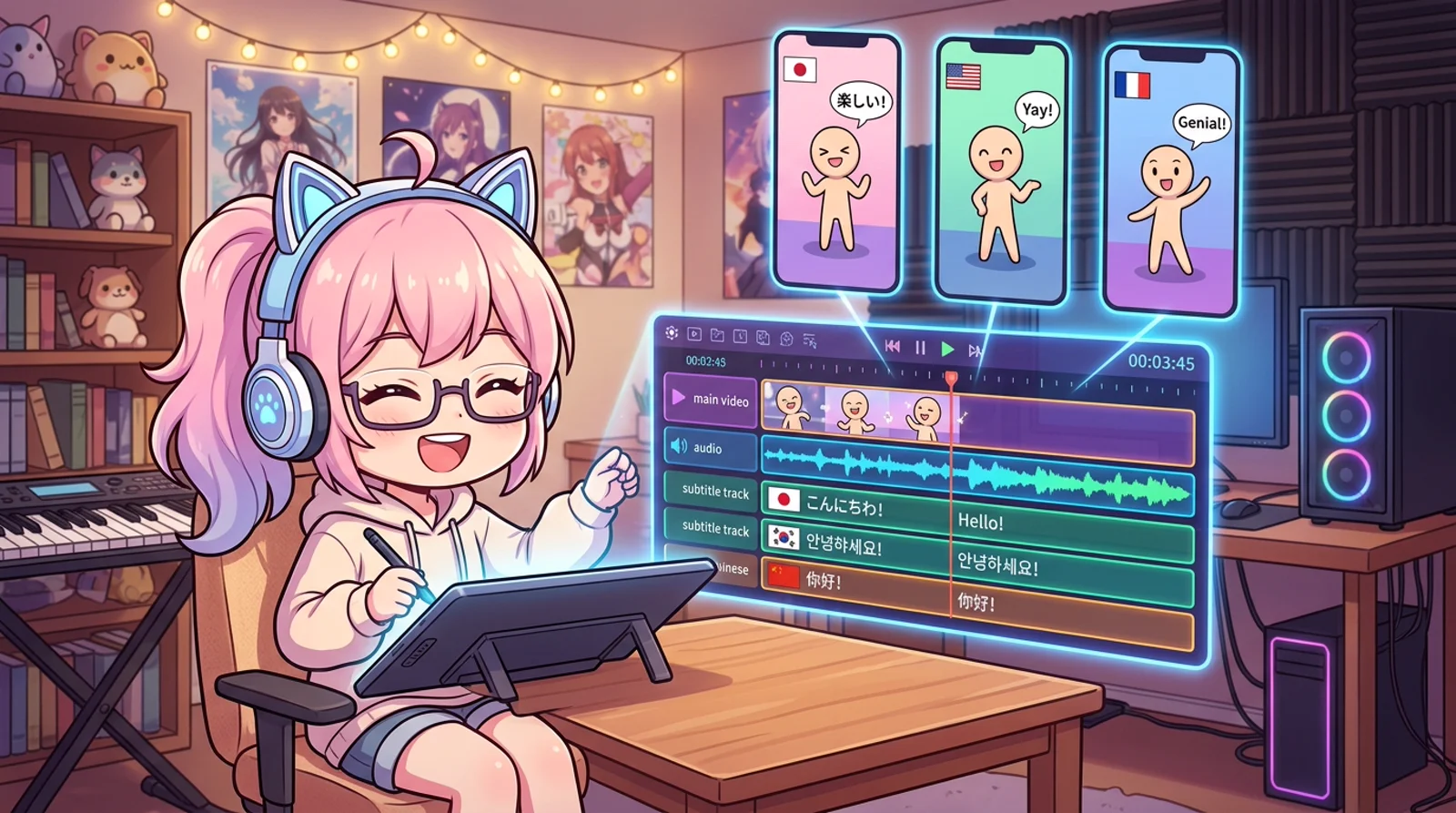
Producing a solid ten-minute technical walkthrough is already exhausting. Taking that horizontal footage and manually slicing, translating, dubbing, and reframing it for TikTok, YouTube Shorts, and Instagram Reels across three different languages is pure administrative misery.
For years, developers and indie creators were trapped between two extremes: either juggle five disjointed desktop tools and endless terminal pipes, or hand over credit cards to cloud-hosted SaaS platforms charging subscription tolls while stamping watermarks on their media.
OpenCreator (formerly known as KrillinAI) attacks this exact operational bottleneck. With over 12,000 GitHub stars, this open-source suite combines a compiled Go execution engine, local Whisper transcription, neural voice synthesis, and automated FFmpeg video composition into a single coherent desktop environment.
TL;DR
Fast Breakdown:
- What is OpenCreator? OpenCreator (formerly KrillinAI) is an open-source multimodal creation workspace powered by an embedded Go CLI runtime, Codex agent loop, and Electron interface. It automates speech transcription, LLM translation, TTS voiceover dubbing, and 9:16 vertical video reframing for developers and content creators seeking local pipeline ownership.
- Core takeaway 1: Unifies video extraction (yt-dlp), speech-to-text (Whisper), translation (LLMs), voiceover (Edge TTS), and video rendering (FFmpeg) into an automated state machine.
- Core takeaway 2: Pure local execution keeps media assets, audio stems, and API credentials on your hardware rather than locked inside proprietary cloud silos.
- Repository: krillinai/OpenCreator (Apache-2.0, 12.1k stars)
Beginner Map (Mental Model)
Think of OpenCreator as an automated robotic assembly plant for digital media. You roll a raw chassis (your raw video footage) onto the intake conveyor line. The system automatically inspects the engine (extracts audio via yt-dlp), cleans every component (Whisper transcription), swaps in a localized steering column for international markets (LLM translation and time-aligned subtitle segmentation), tunes the sound system (neural TTS dubbing), and laser-cuts the bodywork into a sleek urban commuter (9:16 vertical FFmpeg reframing), all governed by a single deterministic assembly manifest.

Part 1: Foundations (Mental Model)
Before tools like OpenCreator emerged, repurposing video content was a fragmented ordeal. Consider the manual steps required to localize a single 5-minute video tutorial:
- Demux audio from video using an external converter or NLE (non-linear video editor).
- Feed audio into STT (speech-to-text / automatic speech recognition) software to obtain raw timestamps.
- Export an SRT (SubRip subtitle format with timestamps) file, manually fix sentence boundaries where the speaker paused mid-thought, and correct technical jargon that the speech model misheard.
- Paste chunks into translation models, hoping formatting tags and millisecond alignments do not break.
- Export translated text into TTS (text-to-speech / neural voice synthesis) services to generate synchronized spoken audio.
- Open video editing software, reposition the 16:9 canvas to 9:16 vertical framing, burn styled subtitles, manually duck background audio, and export.
If your source video changes by even five seconds, the entire manual chain shatters. Every subtitle timestamp shifts, every voice clip goes out of sync, and you start from scratch.
OpenCreator resolves this fragility by establishing an explicit state machine anchored by a local manifest file (krillinai_manifest.json). Instead of treating each task as a disconnected manual click, the pipeline treats video transformation as a deterministic sequence of pure functions.
Each stage consumes verified outputs from preceding stages:
- Audio Ingestion: Extracts audio streams at standardized 16kHz sample rates via yt-dlp.
- Speech Alignment: Transcribes spoken audio via Whisper or faster-whisper, generating sentence-level and word-level matrices.
- Semantic Translation: Leverages LLMs (large language models) to translate text with full conversational context rather than translating isolated words blindly.
- Neural Dubbing: Generates natural speech through Edge TTS (free edge synthesis), OpenAI TTS, or MiniMax.
- Media Compositing: Calls FFmpeg (multimedia CLI processing engine) to assemble video layers, burn styled subtitles, apply audio ducking, and crop or stack frames into portrait aspect ratios.
Part 2: Investigation (How It Works)
OpenCreator is engineered around a clean architectural decoupling: a compiled Go binary backend (runtime/krillinai) paired with a desktop Electron workspace.
1. The Go CLI Engine
While Python remains the standard for initial AI experimentation, running production CLI tools with deep Python dependency trees often triggers version conflicts and fragile virtual environments. OpenCreator writes its core CLI runtime in Go (krillinai-cli).
The Go binary manages external tool execution, handles concurrency across translation segments, computes precise text display boundaries, and writes structured JSON progress logs to stdout.
You can operate the underlying engine directly from your terminal:
# 1. Generate timestamped bilingual subtitles from a video
krillinai-cli subtitle "https://www.youtube.com/watch?v=example" \
  --origin-lang en \
  --target-lang vi \
  --workdir /tmp/job_01 \
  --caption-source any \
  --prepare-video

# 2. Synthesize target-language dubbing audio
krillinai-cli tts \
  --workdir /tmp/job_01 \
  --engine edge-tts \
  --voice vi-VN-NamMinhNeural

# 3. Render 9:16 portrait video with styled dual subtitles and dubbed audio
krillinai-cli render-vertical \
  --workdir /tmp/job_01 \
  --video /tmp/job_01/origin_video.mp4 \
  --subtitle /tmp/job_01/short_origin_mixed_srt.srt \
  --dubbed \
  --major-title "System Architecture" \
  --minor-title "AI Automation"
2. The Dynamic Subtitle Width Algorithm
One of the most persistent issues in automated video rendering is subtitle overflow. When rendering subtitles on a narrow 9:16 mobile viewport, long sentences wrap awkwardly or cover half the frame.
OpenCreator’s Go engine implements a specialized display-width calculator:
- CJK and full-width characters count as width 2.
- Latin characters, numerals, and punctuation count as width 1.
- Instead of stacking multiple lines vertically with linebreaks (
\N) that block the visual frame, the engine temporally partitions long translated phrases into consecutive, bite-sized dialogue entries.
The result is clean, readable text on mobile screens without requiring manual keyframe adjustments in an editor.
3. Pipeline Resumption via Manifest
Every execution records its state in krillinai_manifest.json:
{
  "version": "1.0",
  "task_id": "task_20260922_video01",
  "stages": {
    "subtitle": {
      "status": "completed",
      "origin_srt": "/tmp/job_01/origin_language_srt.srt",
      "target_srt": "/tmp/job_01/target_language_srt.srt",
      "mixed_srt": "/tmp/job_01/short_origin_mixed_srt.srt"
    },
    "tts": {
      "status": "completed",
      "audio_track": "/tmp/job_01/dubbed_audio.mp3"
    },
    "render_vertical": {
      "status": "ready",
      "source_video": "/tmp/job_01/origin_video.mp4"
    }
  }
}
If your machine runs out of disk space during the final FFmpeg render pass, you do not waste tokens rerunning transcription or translation. The pipeline reads the existing manifest and picks up precisely where it stopped.
Part 3: Diagnosis (The Rough Edges)
Every automated pipeline has operational edge cases. While marketing clips show flawless one-click conversions, running OpenCreator in production reveals four specific failure modes you must plan for:
1. Local Whisper VRAM Spikes
Running OpenAI Whisper large-v3 locally yields excellent transcription accuracy, but it demands between 6GB and 10GB of VRAM (video random-access memory). On entry-level laptops or integrated graphics chips, running Whisper inside Electron will trigger out-of-memory kernel kills.
Solution: Configure OpenCreator to use faster-whisper with int8 quantization to cut memory usage under 2GB, or route transcription requests to cloud API endpoints like Groq or OpenAI Whisper.
2. Edge TTS Rate Limits and Socket Resets
OpenCreator defaults to Microsoft Edge TTS for free, zero-configuration voice synthesis. While Edge TTS delivers crisp, natural audio without billing accounts, it operates on a public web service endpoint.
If your pipeline fires 50 subtitle chunks in rapid parallel threads, the remote endpoint will aggressively drop TCP sockets or return HTTP 429 rate limit responses. Keep your concurrent worker pool set to 3 or 4 workers to maintain stable synthesis without disconnects.
3. Aspect Ratio Cropping Blindspots
When converting a 16:9 landscape clip into 9:16 vertical video, standard cropping algorithms default to a fixed center frame. If the presenter in your video moves to the left side of the room or points to code on the far edge of a widescreen monitor, center cropping slices them completely out of the frame.
OpenCreator provides a blurred-background stacking layout: the original 16:9 frame is placed in the center while blurred, zoomed mirrors fill the top and bottom canvas. For technical tutorials with code blocks or terminal demos, always choose blurred stacking over destructive center-cropping.
4. Syllable Cadence and Audio Drift
Different languages require different amounts of time to express identical technical concepts. A concise English sentence often expands by 25% to 35% when translated into German, Spanish, or Vietnamese.
If your original video cut lasts exactly 3.0 seconds, a 4.2-second dubbed audio segment will spill over into the next shot. OpenCreator uses FFmpeg’s atempo audio filter to compress time, but speeding up speech past 1.25x results in unnatural pitch and robotic cadence. For best results, use LLM prompt constraints that instruct the translation stage to match the approximate syllable count of the source language.
Part 4: Resolution (Decision Matrix)
When should you install OpenCreator versus sticking with cloud SaaS tools or custom shell scripts?
| Feature / Requirement | OpenCreator | Cloud SaaS (Opus/CapCut) | Handcrafted Bash/Python |
|---|---|---|---|
| Primary Cost | Free (Open-Source Apache-2.0) | $15–$50 / month | Free |
| Data Privacy | 100% Local on your machine | Media uploaded to third-party cloud | 100% Local |
| Pipeline Reliability | Manifest-backed state recovery | Proprietary cloud black-box | Fragile custom glue scripts |
| Bilingual Subtitles | Native CJK display-width splitting | Often single-language or manual | Manual SRT math required |
| Custom Agent Extensibility | Built-in Codex SKILL.md system | Closed ecosystem | Fully custom |
| Maintenance Burden | Single compiled binary + Electron | Zero maintenance | High script maintenance |
Choose OpenCreator If:
- You have regular video localization or short-form repurposing workflows and refuse to pay recurring cloud subscription fees.
- You require complete local data ownership for proprietary company presentations, private codebase walkthroughs, or unreleased product demos.
- You want the convenience of a visual desktop workspace alongside headless CLI scriptability for automated publishing pipelines.
Skip OpenCreator If:
- You need high-end multi-track cinematic editing with custom color grading and manual audio mastering (stick to DaVinci Resolve or Adobe Premiere).
- You are running on hardware with less than 8GB of RAM and have no internet connection to access cloud API backends.
Final Take
Automating video repurposing is no longer about chaining together brittle shell scripts or surrendering private media to expensive cloud platforms. By anchoring Whisper, neural voice synthesis, and FFmpeg behind a compiled Go state engine, OpenCreator turns multi-platform content production into a deterministic local build step.
Hands-On Challenge (15-Minute Test)
Set aside 20 minutes to test the pipeline on your own workstation:
- Clone the OpenCreator repository:
git clone https://github.com/krillinai/OpenCreator.git cd OpenCreator pnpm install - Build the embedded Go runtime:
pnpm krillinai:build - Run a dry-run subtitle generation on a short public video link using the
--dry-runflag to verify that your local yt-dlp, FFmpeg, and model configurations validate without error. - Inspect the generated
krillinai_manifest.jsonfile in your working directory to examine how the stage dependencies are mapped.
Frequently Asked Questions (FAQ)
Does OpenCreator require an expensive local GPU to run?
No. While a dedicated GPU accelerates local Whisper transcription, OpenCreator can run Whisper on CPU via whisper.cpp or faster-whisper. Alternatively, you can point transcription and translation stages to external cloud APIs (OpenAI, Groq, DeepSeek) while handling video rendering locally on your CPU.
How does OpenCreator avoid recurring subscription fees?
OpenCreator runs entirely on your hardware using open-source utilities (yt-dlp, FFmpeg, Whisper) and free edge synthesis (Microsoft Edge TTS). You only pay if you optionally configure paid third-party LLM or voice APIs.
Can OpenCreator create videos from scratch or only translate existing media?
OpenCreator handles both. In addition to video translation, dubbing, and vertical cropping, the workspace includes tools for stick figure animation, article writing, short-video scripting, and AI image/video generation via plugins.
What makes OpenCreator different from standard FFmpeg shell scripts?
Standard shell scripts lack state recovery, display-width text calculations, and semantic awareness. OpenCreator provides a structured manifest state machine that prevents duplicate compute, splits long bilingual lines intelligently, and offers an interactive desktop GUI alongside its CLI.
Related posts
- AI & Agents
VoiceStudio Explained: The 33k-Star Local AI Voice & Dubbing Engine
Explore VoiceStudio, the 33k-star open-source ElevenLabs alternative with 646 languages, OmniVoice cloning, voice design, and native MCP agent support.
8 min readRead → - AI & Agents
Pixelle-Video: One Topic, a ComfyUI Assembly Line
Streamlit app that turns a topic or script into short video: LLM copy, ComfyUI or RunningHub media, TTS, BGM, HTML templates, ffmpeg out to output/.
6 min readRead → - AI & Agents
Voice-Pro Explained: Local AI Dubbing & Voice Cloning Studio
Discover Voice-Pro, the open-source local AI dubbing studio combining Whisper, Demucs, F5-TTS, and CosyVoice with uv for zero-subscription voice cloning.
8 min readRead → - AI & Agents
TencentDB Agent Memory: Does the 4-Tier Memory Pyramid Kill Vector DBs?
Deconstructing TencentDB Agent Memory: L0-L3 semantic hierarchy, hybrid BM25 and sqlite-vec retrieval, and the reality behind the viral vector DB claims.
9 min readRead →