CleanYourTV Explained: Strip Smart TV Bloat via Claude Code
How CleanYourTV uses Claude Code and ADB over Wi-Fi to strip Google TV bloatware, eliminate sponsored ads, and deploy a 526KB Apple TV launcher.

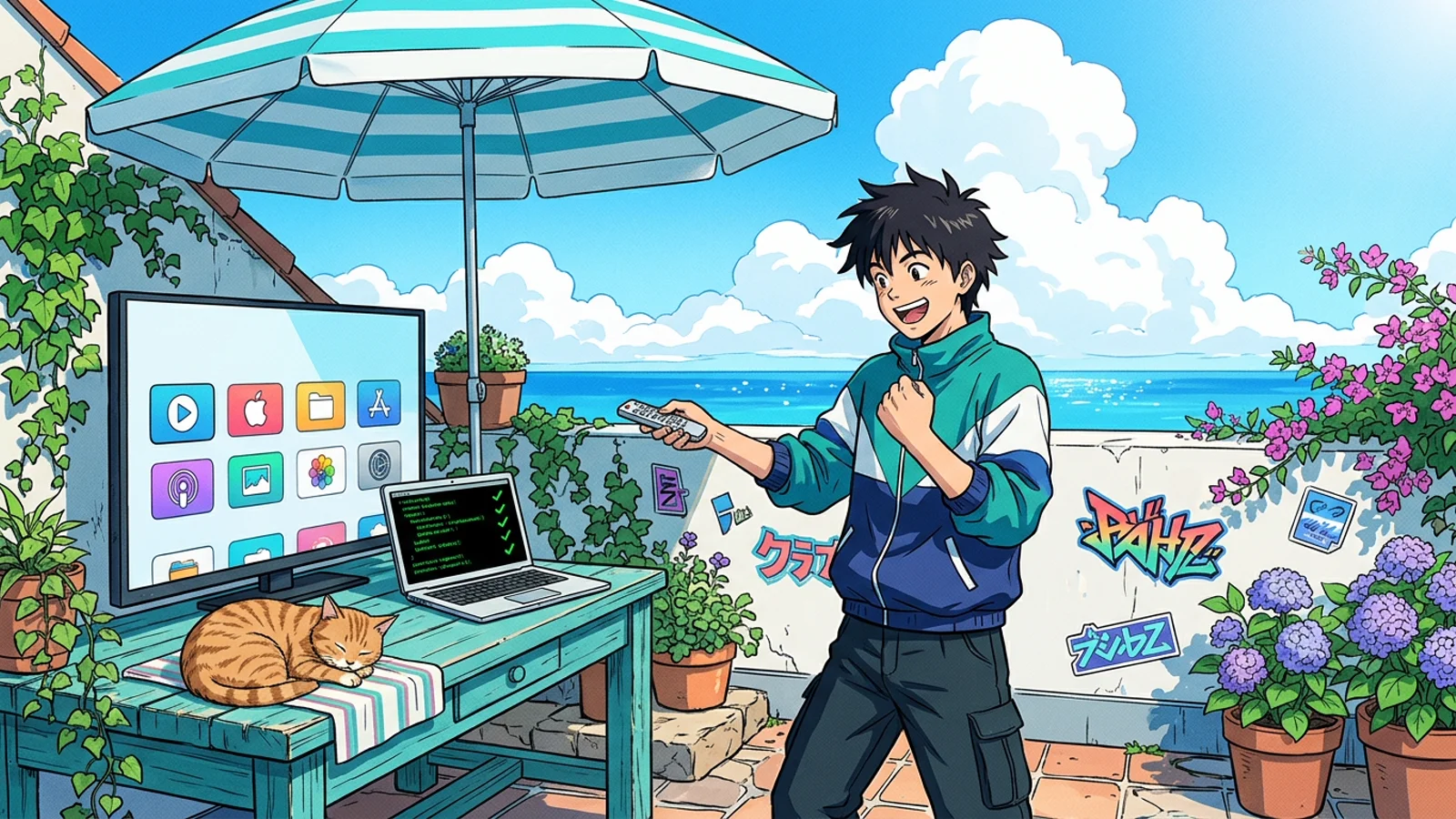
You drop $800 on a modern 4K smart television, bring it into your living room, and turn it on. Instead of your purchased streaming apps, the primary screen greets you with an unskippable 15-second video advertisement for an SUV, followed by five horizontal carousels of sponsored tabloid content. Under the plastic casing, a resource-starved quad-core processor struggles to open Netflix while background telemetry services stream your viewing habits back to advertising brokers.
On October 17, 2026, developer Gathin sat in front of his parents’ sluggish Xiaomi television and decided he had seen enough. Rather than wrestling with manual terminal commands or flashing risky custom firmware, he opened Claude Code (Anthropic’s terminal AI coding agent with shell execution), connected his computer to the television over local Wi-Fi via ADB (Android Debug Bridge: Android’s diagnostic command-line interface), and issued a plain-English instruction: strip the bloat, kill the tracking, and turn the home screen into an Apple TV.
The resulting session exploded across developer social media, amassing 7.4 million views in 48 hours and rocketing past 38,000 GitHub stars in just nine days. What started as a quick family hack evolved into CleanYourTV (cleanyourtv), a community-driven repository supporting 332 television models across 91 manufacturers. Here is the operational teardown of how AI coding agents breached the smart television living room, why the architecture works without root privileges, and the lethal hardware landmines lurking in production.
TL;DR
Quick Answer Box (Google Search Featured Snippet): What is CleanYourTV? An open-source automation framework and prompt harness that directs AI coding agents (such as Claude Code) to connect to Android TV and Google TV devices over Wi-Fi via ADB. It non-destructively disables manufacturer bloatware and sponsored ad rows using user-space package flags (
pm disable-user), replacing heavy stock interfaces with a lightning-fast, 526KB native Apple TV-style launcher.Primary Repository: Gathin23/cleanyourtv · License: MIT · Stars: ~38,900+ · Tested Sets: 332 models
- The Non-Destructive Golden Rule: CleanYourTV never uses
pm uninstall. It toggles packages withpm disable-user --user 0, keeping system binaries intact in read-only partitions and allowing complete, one-line rollbacks viarestore.sh. - The 526KB Interface: Stock Google TV Launcher (
launcherx) consumes 400MB of RAM for ad carousels. CleanYourTV installs a featherweight Java launcher with zero internet permissions, restoring instantaneous remote response on low-tier chipsets. - The Living Room Attack Surface: ADB on port 5555 is an unauthenticated, plaintext TCP bridge. The framework enforces post-flight verification with
adb-closed.pyto ensure television debug ports are sealed before handing back the remote. - The Setupwraith Wi-Fi Trap: Disabling Google TV packages indiscriminately will brick network access. On Chromecast devices,
setupwraithmanages active Wi-Fi profile credentials; terminating it severs the wireless link mid-session.
Beginner Map (Mental Model)
A modern smart TV operates like a rented apartment where the landlord secretly installed vending machines and billboard banners in your hallway. You do not need a sledgehammer or a total demolition crew (rooting and custom ROMs) to reclaim your space. You simply place polite “out of service” covers over the vending machines (pm disable-user) and swap the cluttered hallway furniture for a clean, minimalist coat rack (the 526KB native launcher):

Part 1: Foundations (The Smart TV Dilemma)
To understand why CleanYourTV resonated with millions of frustrated consumers, you have to look at the distorted economics of television hardware.
Major consumer electronics manufacturers no longer view televisions as standalone display appliances. Hardware margins are razor thin. Manufacturers sell 55-inch 4K panels at near-cost, subsidizing their hardware bills of materials through post-purchase monetization: selling viewer analytics harvested by ACR (Automatic Content Recognition: acoustic and visual fingerprinting that logs what plays on your screen) and leasing prime home screen real estate to advertisers.
| Term / Mechanism | Plain English Definition (3-6 words) |
|---|---|
| ADB (Android Debug Bridge) | Diagnostic command line for Android |
| ACR (Content Recognition) | Telemetry scanning screen viewing habits |
pm disable-user |
Freeze package without deleting files |
launcherx |
Default ad-heavy Google TV interface |
| Setupwraith | Google TV initial setup service |
When you power on a factory-fresh television, the operating system launches dozens of persistent background daemons (background system processes running without user interfaces). On an entry-level television with 1.5GB of RAM (system memory shared between graphics and applications), the stock launcher alone can swallow 400MB just buffering high-resolution video banners and recommendation carousels. The interface drops frames, app launches stutter, and remote clicks lag by two full seconds.
Before CleanYourTV, power users attempted to fix this by unlocking bootloaders, gaining root access (administrative superuser privileges), or flashing custom AOSP (Android Open Source Project) firmware. On smart televisions, rooting is suicidal: it permanently breaks Widevine L1 (hardware DRM security keys required for 4K Netflix and Disney+ streaming), risks hard-bricking closed-source hardware motherboards, and voids manufacturer warranties.
CleanYourTV bypassed this dilemma entirely by realizing that Android’s built-in developer tooling already possesses the exact permission boundaries required to silence telemetry without altering system partitions.
Part 2: Investigation (How CleanYourTV Works)
CleanYourTV operates not as an monolithic executable, but as an orchestrated interplay between an AI coding agent, structured safety checklists (PROMPT.md), and deterministic shell harnesses (tools/).
Phase 1: The Wireless Discovery & Backup Protocol
The developer enables Developer Options on the television (by clicking the OS Build Number seven times) and turns on USB Debugging and Network Debugging. The host machine connects over the local network:
# Connect to Android TV target over local Wi-Fi
adb connect 192.168.1.145:5555

# Verify ADB connection state
adb devices -l
Before changing a single byte on the target device, CleanYourTV’s prompt forces the agent to capture a full forensic system snapshot into backup/:
# Capture installed packages, system properties, and global settings
adb shell pm list packages -f > backup/packages_full.txt
adb shell pm list packages -d > backup/packages_disabled.txt
adb shell getprop > backup/getprop.txt
adb shell settings list global > backup/settings_global.txt
This snapshot generates an automatic, machine-tailored tools/restore.sh. If any family member misses an OEM feature or an input selector misbehaves, running the restore script executes pm enable on every touched namespace, returning the television to its pristine factory configuration within thirty seconds.
Phase 2: User-Space Package Suspension (pm disable-user)
The crux of the debloat process lies in Android’s package manager implementation. Unlike destructive uninstall commands, pm disable-user marks the target application as disabled strictly within the active user profile (User 0):
# The safe suspension command
pm disable-user --user 0 com.google.android.apps.tv.launcherx

# Reversible at any time with:
pm enable com.google.android.apps.tv.launcherx
Because system packages live on a read-only partition (/system or /product), disabling them halts their execution, purges their runtime caches, and strips them from the home launcher without modifying the underlying flash storage.
CleanYourTV categorizes candidate packages into three strict tiers:
- Manufacturer Telemetry & Ad Engines: Metrics collectors, analytics trackers, and sponsored recommendation providers (e.g. Xiaomi PatchWall, TCL Channel, Sony Samba TV). These are disabled automatically.
- Interactive Essentials: Streaming services, HDMI tuner bridges, Bluetooth remote pairing daemons, and on-screen keyboard IME services. The agent is explicitly forbidden from touching these.
- Preference-Dependent Services: Chromecast built-in, Miracast screen sharing, and Google Assistant. The prompt requires the agent to present an interactive checklist to the user before touching this tier.
Phase 3: The 526KB Native Launcher Swap
Once the ad carousels and tracking daemons are suspended, the television requires a clean window manager to display installed applications. Rather than recommending third-party commercial launchers filled with their own telemetry or in-app purchases, CleanYourTV provides com.gathin.tvhome: a 526KB open-source launcher built with pure Java, AndroidX RecyclerView, and DynamicAnimation.
<!-- launcher/app/src/main/AndroidManifest.xml -->
<manifest xmlns:android="http://schemas.android.com/apk/res/android"
    package="com.gathin.tvhome">

    <!-- Crucial architecture: Notice zero INTERNET permission requested -->
    <application
        android:label="@string/app_name"
        android:banner="@drawable/banner"
        android:theme="@style/Theme.CleanTVHome">

        <activity
            android:name=".MainActivity"
            android:exported="true">
            <intent-filter>
                <action android:name="android.intent.action.MAIN" />
                <category android:name="android.intent.category.HOME" />
                <category android:name="android.intent.category.DEFAULT" />
            </intent-filter>
        </activity>
    </application>
</manifest>
Notice the key architectural detail in the manifest: zero internet permission. The launcher cannot make outbound network requests, cannot phone home, and cannot load dynamic remote scripts. It reads installed application banners locally from the package manager, arranges them in an Apple TV-style fluid horizontal grid, and renders instantly at native 60 frames per second.
Part 3: Diagnosis (The Rough Edges & Traps)
While the viral social clips portray CleanYourTV as an effortless two-minute transformation, deploying autonomous coding agents against physical hardware surfaces hazardous edge cases that software engineers rarely encounter in pure cloud environments.
The creator’s viral tweet ignited developer discussions on X:


Bản gốc tiếng Anh (English)
However, real-world deployment on diverse television motherboards immediately exposed critical system dependencies:
Trap 1: The Setupwraith Wi-Fi Severance
On modern Google TV hardware (such as Chromecast with Google TV 4K or recent Hisense models), the onboarding wizard package is com.google.android.apps.tv.launcherx.setupwraith. Because this package is bundled with setup ads, aggressive debloat lists frequently targeted it for immediate deactivation.
Here is the architectural trap: on many firmware builds, setupwraith retains ownership of the saved Wi-Fi connection profile.
The moment an agent executes pm disable-user --user 0 ...setupwraith, the operating system revokes the network configuration. The television instantly drops off the local Wi-Fi network. Because ADB is communicating over that exact wireless bridge, the agent’s connection collapses mid-execution. The user is left with a television detached from the network and no active ADB port to undo the damage, forcing a manual hardware button factory reset. CleanYourTV added a pre-flight probe check to prevent this:
# Guard check before disabling setupwraith: verify Wi-Fi ownership
dumpsys wifi | grep -o 'cname=[^ ]*'
Trap 2: Core Module Bricking (Issue #884)
In GitHub issue #884, a user running an agent against an original Xiaomi Mi TV Stick found their device permanently stuck on the boot animation.
The agent had ingested a raw debloat list from an untrusted forum that included Android core infrastructure packages:
com.google.android.ext.servicescom.google.android.ext.sharedcom.android.providers.settingscom.google.android.modulemetadata
When Android boots, the zygote runtime initializes core permission controllers and package extraction services. If these packages fail to resolve, the system server triggers a fatal Watchdog panic and reboots continuously. Unlike desktop Linux where a live USB rescues the bootloader, an unrooted TV stick with a locked recovery menu becomes electronic waste. CleanYourTV codified a hardcoded ban list inside tools/disable.sh that aborts execution if an agent attempts to disable system modules.
Trap 3: The CVTE and MediaTek Factory Mode Flag
Cheaper television sets manufactured by CVTE (used across budget brands like Haier, JVC, and regional TCL models) include diagnostic packages like com.cvte.tv.hkcfac or mediatek.factorymenu.ui.
If a curious AI agent executes am start on one of these activities to “inspect what it does,” the motherboard’s EEPROM firmware flips an internal factory-mode bit. On the subsequent reboot, HDMI CEC (Consumer Electronics Control: allowing the TV remote to control your soundbar) is disabled, the physical Input button ceases to function, and the DRM trust zone revokes Widevine certification. The shell cannot reset this hardware flag.
Trap 4: LAN Security Exposure on Port 5555
ADB was designed as a local diagnostic link over USB cables, not an internet-facing service. When Network Debugging is active, port 5555 listens for unauthenticated TCP connections across the local network.
Any compromised IoT device (such as a cheap smart plug or Wi-Fi security camera) on the same residential subnet can open a socket to port 5555 and execute shell commands with UID 2000 (shell), exfiltrating private files, taking silent screenshots, or sideloading malicious payloads. CleanYourTV mandates closing Network Debugging and executing tools/adb-closed.py to verify that port 5555 actively refuses incoming TCP packets before completing the session.
Part 4: Resolution (Decision Matrix)
Is CleanYourTV right for your entertainment setup? Evaluate your hardware architecture before unleashing a coding agent on your television:
| Criterion | Deploy CleanYourTV If… | Skip / Keep Stock If… |
|---|---|---|
| Operating System | Certified Android TV or Google TV (Sony, TCL, Xiaomi, Hisense, Chromecast) | LG webOS, Samsung Tizen, or Roku OS (ADB does not exist on these platforms) |
| System Memory | 1.5GB to 2GB RAM where stock launcher stutters and drops frames | High-end Nvidia Shield Pro 16GB or dedicated Apple TV 4K hardware box |
| Voice Ecosystem | You navigate using physical remote directional pads and care about privacy | You rely heavily on hands-free “Hey Google” voice search across global video catalogs |
| Maintenance Profile | You are comfortable running terminal scripts and keeping a local backup file | You want zero-touch automatic background firmware upgrades without checks |
| Hardware State | Standard residential Wi-Fi with reliable local signal | TV connects exclusively via a USB Ethernet adapter that loses power during debug |
Final Take
CleanYourTV is a defining milestone in modern developer autonomy: it demonstrates how AI coding agents can bridge the gap between complex low-level diagnostic tooling and physical consumer hardware, liberating our living rooms from corporate monetization without writing a single line of unverified C code.
Frequently Asked Questions (FAQ)
Can CleanYourTV run on Samsung Tizen or LG webOS televisions?
No. CleanYourTV relies entirely on Android’s ADB diagnostic daemon and package management system (pm disable-user). Samsung televisions run Tizen OS and LG televisions run webOS, neither of which exposes an open Android debug bridge. For non-Android smart televisions, the project maintains a manual setup guide (cleanyour.tv/not-android) showing how to disable tracking beacons and ACR telemetry using physical remote control menus.
Does CleanYourTV void my television warranty or trip Knox/bootloader fuses?
No. CleanYourTV requires zero root privileges and never touches the device bootloader, kernel, or read-only recovery partitions. It operates exclusively within user-space package flags. Running tools/restore.sh re-enables every suspended service, returning the device to an exact factory software state with all warranty parameters intact.
What happens when the television receives an official system software update?
Major Android operating system upgrades (e.g. updating from Android 11 to Android 12) may re-enable disabled packages if the manufacturer OTA (Over-The-Air: wireless system updates) script resets user-space flags. If this happens, your custom launcher remains installed, but you may need to reconnect your computer over Wi-Fi and re-run your saved debloat list to silence refreshed ad packages.
Related posts
- AI & Agents
The Agent is the Model. The Code is Just a Vehicle.
A deep dive into learn-claude-code and the truth about AI agents: most frameworks are over-engineered Rube Goldberg machines.
4 min readRead → - AI & Agents
Claude Code's Missing Manual: Stop Typing and Start Orchestrating
A copy-paste survival guide that turns Claude from a basic chatbox into an automated team member.
4 min readRead → - AI & Agents
The Conductor and the Machine: Orchestrating Claude Code
Claude Code is a beast. But to tame it, you need more than prompts. You need an orchestration framework.
6 min readRead → - AI & Agents
GameDev Agent Skills Explained: 76 Skills & Smart Router for AI
How awesome-gamedev-agent-skills equips Claude Code and Cursor with 76 engine skills, a dynamic project router, and deterministic asset pipelines.
12 min readRead →