Awesome DESIGN.md Explained: 84 Brand Specs Tested & Exposed
Hands-on audit of VoltAgent/awesome-design-md (129K stars): 84 brand DESIGN.md specs, Tailwind v4 export, 1,655 linter warnings, and font-fallback traps.

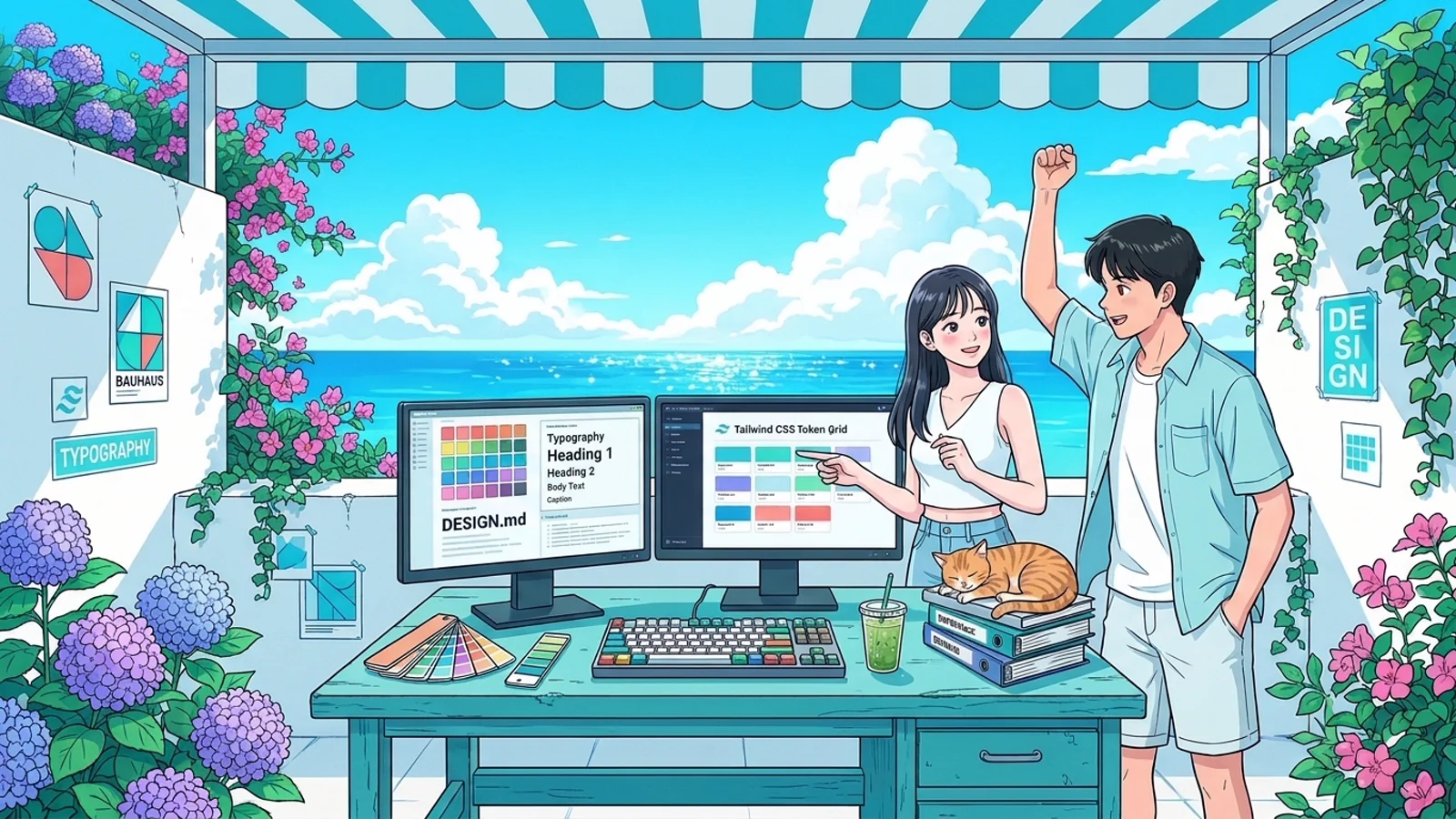
Ask Claude Code, Cursor, or Codex to build a SaaS landing page with zero visual rules, and watch statistical gravity win every time. Out comes Inter typography, three equal rounded cards, a purple-to-blue hero gradient, and generic spacing guessed on the fly. You paste aesthetic corrections into chat, survive one session, and watch the next context reset snap straight back to AI slop.
VoltAgent/awesome-design-md exploded past 129,000 GitHub stars (14,217 forks, MIT license) by packaging 84 ready-to-drop DESIGN.md specs extracted from real websites like Linear, Stripe, Apple, Claude, Vercel, and even 1996 Dell. Drop one markdown file into your project root and tell your coding agent to match it.
Before recommending it blindly, I cloned all 84 files (46,710 lines total) and ran Google Labs’ official @google/design.md linter across the entire repository. Every single file passed with zero hard errors, yet zero out of 84 passed cleanly: the collection triggered 1,655 linter warnings, split across two incompatible file schemas, missing HTML previews, and unfallbackable proprietary fonts.
TL;DR
Fast Breakdown:
- What is Awesome DESIGN.md? A curated MIT-licensed collection of 84 plain-text
DESIGN.mddesign system documents reverse-engineered from public websites, formatted for AI coding agents and Google Stitch to read colors, typography scales, spacing, and UI guardrails directly from your project root.- Machine-Readable Advantage: 74 of the 84 files pair YAML frontmatter tokens with prose rules, compiling directly into Tailwind v4
@themeCSS, W3C design tokens, or CSS variables vianpx @google/design.md export.- The Unreported Catch: Auditing all 84 files exposes 1,655 linter warnings (716 orphaned tokens, 709 unrecognized component sub-keys, 201 WCAG contrast alerts), 10 legacy prose-only files that export empty
@theme {}blocks, and zero.htmlpreview files left in the repo.- Repository: VoltAgent/awesome-design-md on GitHub (MIT · 129K+ stars).
Mental Model: Sheet Music Instead of Humming Over the Phone
Telling an LLM “make it feel minimal like Linear” without a design spec is like humming a song over a noisy phone call to a session pianist. The musician guesses the tempo, invents chords that feel average, and drifts off key every eight bars.
DESIGN.md - a convention introduced by Google Stitch (google-labs-code/design.md) - acts as printed sheet music bolted straight to your workspace. Just as AGENTS.md defines how an agent writes and tests code, DESIGN.md defines exact hex values, surface elevation ladders, negative letter-spacing rules, and explicit prohibitions ("Don't pill-round CTAs", "Don't use #000000 true black").

Problem Reality: Why Prose Rules Drift and Tokens Stick
Developers do not hate CSS; they hate re-explaining visual taste on every new prompt. Earlier markdown skill packs pushed generic anti-slop bans into system context, yet agents still hallucinated mismatched surface grays and muddy hover states.
Inspecting design-md/linear.app/DESIGN.md shows why structured brand specs outperform vague adjectives. Instead of asking for “dark mode”, the file pins exact Design Tokens (reusable color and typography variables) in YAML frontmatter (a structured metadata header block):
- Surface ladder over flat black: Anchors
canvasat#010102(not#000000), lifting nested cards across four discrete steps (#0f1011,#141516,#18191a,#191a1b) separated by1px#23252ahairlines. - Single-accent rationing: Pins
#5e6ad2lavender-blue strictly to primary buttons, focus rings, and links, explicitly banning lavender card backgrounds or secondary rainbow badges. - Tight negative tracking: Pairs
80pxdisplay headings at weight600with-3.0pxletter-spacing (horizontal gap between glyphs), resisting default700bold bloat.
VoltAgent co-creator Ozmen captured how fast the community grabbed onto this pattern when getdesign.md launched right after hitting 35K stars in week one:

Curator lists across X soon placed awesome-design-md right alongside skill-level design guardrails like taste-skill and Understand-Anything:


Even nostalgic oddities earn their keep: dell-1996/DESIGN.md (632 lines) codifies literal 8px #000000 outer frames, sage/salmon ribbon cards, and Times New Roman over Arial Black, while claude/DESIGN.md pairs #faf9f5 warm cream with #cc785c terracotta and weight-400 slab serifs.
Hands-On Workflow: Install, Lint, and Compile to Tailwind v4
Unlike a SKILL.md plugin, dropping DESIGN.md into a directory does nothing by itself unless your agent knows to read it. Pull a template cleanly with VoltAgent’s MIT-licensed getdesign CLI (0.6.26), then run Google Labs’ @google/design.md (v0.4.0) linter and exporter to verify contrast and turn YAML tokens into deterministic CSS:
# 1. Install a brand template from VoltAgent's catalog
npx getdesign add linear.app --out ./DESIGN.md

# 2. Validate token refs and WCAG AA contrast ratios before prompting
npx @google/design.md lint ./DESIGN.md

# 3. Compile frontmatter tokens directly into Tailwind v4 @theme CSS
npx @google/design.md export ./DESIGN.md --format css-tailwind > src/styles/brand-theme.css
Running step 3 on design-md/linear.app/DESIGN.md emits valid Tailwind v4 @theme variables immediately, ready for src/styles/global.css:
@theme {
  --color-primary: #5e6ad2;
  --color-on-primary: #ffffff;
  --color-primary-hover: #828fff;
  --color-canvas: #010102;
  --color-surface-1: #0f1011;
  --font-display-xl: "Linear Display";
  --font-body: "Linear Text";
}
Notice those last two --font-* lines. That leads straight into the operational traps hiding underneath the viral hype, because wiring that exported block straight into Vite or Next.js renders system fallback serif fonts unless you rewrite the font stack inside DESIGN.md first and reference ./DESIGN.md explicitly inside AGENTS.md or CLAUDE.md.
The Rough Edges: Four Traps Behind 129K Stars
Viral threads make awesome-design-md sound like a zero-config magic button. Running automated checks across all 84 directories surfaces four sharp edges that maintainers and social hype rarely disclose.
1. Zero Out of 84 Files Pass @google/design.md lint Cleanly
Even though 34 files in awesome-design-md literally instruct agents to run npx @google/design.md lint DESIGN.md inside their ## Iteration Guide, running v0.4.0 programmatically across all 84 files returned 0 clean passes and 1,655 warnings:
716orphaned-tokenswarnings: Palette and spacing tokens declared in YAML frontmatter that zerocomponents:recipes actually reference.709unrecognized component sub-keys (reported asbroken-ref): VoltAgent emits rich keys likeborder,borderColor, anddescriptioninsidecomponents:, whereas Google’s linter only validates 8 keys (backgroundColor,textColor,typography,rounded,padding,size,height,width).201WCAG AA (4.5:1minimum text contrast) alerts: Real brand buttons fail strict accessibility math - Linear’sbutton-primary-hover(#ffffffon#828fff) scores2.87:1, while Claude’s coralbutton-primary(#ffffffon#cc785c) scores3.28:1. Transparent backgrounds written as#00000000also fool Google’s contrast math into reading#000000(1.14:1onclaude).
2. Two Incompatible File Schemas Break Token Exports
Inside design-md/, 74 brands use the newer version: alpha YAML frontmatter + 11 unnumbered sections (with 43 explicitly admitting gaps under ## Known Gaps). Meanwhile, 10 brands (kraken, lamborghini, lovable, mastercard, runwayml, sanity, spotify, starbucks, tesla, theverge) still use an older numbered 9-section Markdown schema with zero YAML. Run npx @google/design.md export design-md/kraken/DESIGN.md --format css-tailwind and you get an empty @theme {} block.
3. Missing preview.html, Repo Drift, and Closed PRs
Viral X guides still swear every folder gives you a visual catalog:

Open design-md/linear.app/ on GitHub today and zero .html files exist anywhere in the repository. Previews moved off GitHub onto VoltAgent’s hosted getdesign.md website (each brand README.md is now a 5-line redirect), yet the root README.md and CONTRIBUTING.md still advertise preview.html. Even counts drift: README.md lists 83 brands (omitting design-md/slack/DESIGN.md, written as Slacc-Inspired-design-analysis), GitHub holds 84 folders, and npx getdesign list serves 86 (adding discord and mobbin). Furthermore, CONTRIBUTING.md line 21 states “We cannot accept DESIGN.md pull requests”, while PR #471 (fixing stale preview.html docs) and PR #472 (adding a /design-md agent skill) were both closed without merging.
4. Proprietary Font Leaks and 5,000-Token Context Bloat
83 of 84 files reference proprietary brand fonts or note substitutes (Linear Display, Kraken-Brand, SoDoSans, ABC Ginto Nord, Copernicus). In linear.app/DESIGN.md, the YAML font field omits fallback stacks, so compiled CSS sets --font-display-xl: "Linear Display" bare. Worse, files average 3,701 words (~29.4 KB, peaking at mintlify with 44,083 bytes / 853 lines and starbucks at 5,588 words). Pasting an unedited file into every prompt loop burns ~4,000-6,000 tokens before your agent writes a single line of JSX.
Decision Matrix: Choosing Your UI Guardrail
| Dimension | VoltAgent/awesome-design-md |
@google/design.md Spec + CLI |
Leonxlnx/taste-skill |
|---|---|---|---|
| Primary Job | Curated gallery of 84 brand visual languages | Schema spec, linter, diff, and CSS/DTCG compiler | Behavioral SKILL.md anti-slop rules + 3 dials |
| Machine Export | 74 YAML-ready; 10 legacy prose emit empty @theme |
Native export to Tailwind v3/v4, CSS vars, W3C DTCG | Prose directives only (no token compiler) |
| Agent Discovery | Manual (AGENTS.md / prompt pointer needed) |
Manual or Google Stitch integration | Auto-loaded via .agents/skills/ (npx skills) |
| License & Governance | MIT; PRs for new DESIGN.md files rejected |
Apache-2.0 spec repo / Proprietary npm CLI | No license file in repo |
| Adopt When… | Prototyping SaaS fast with a borrowed brand palette | Governing an in-house design system in CI/CD | Wanting custom taste without cloning existing brands |
Skip awesome-design-md if you are building an accessible government/enterprise product out of the box without auditing contrast (201 WCAG alerts prove brand sites themselves cheat contrast), or if you expect zero-edit npx skills add auto-discovery.
Final Take
VoltAgent/awesome-design-md works brilliantly as a reverse-engineered swatch book and typography cheat sheet, not as an untouched plug-and-play system. Pick one version: alpha brand, strip unlicensed font names down to open web stacks (Geist, Inter, Instrument Serif), fix any sub-4.5:1 contrast pairs flagged by @google/design.md lint, trim the file to the tokens your app actually uses, and compile @theme CSS instead of paying 5,000 tokens per prompt.
Hands-On Challenge (15-Minute Test)
Test the end-to-end token hygiene loop locally right now:
- Run
npx getdesign add linear.app --out ./DESIGN.mdin an empty scratch folder, followed bynpx @google/design.md lint ./DESIGN.md. - Inspect the
contrast-ratiowarning onbutton-primary-hover(#ffffffon#828fff=2.87:1) and darkenprimary-hover(or swapon-primaryto#010102) until the contrast check clears4.5:1. - Replace
"Linear Display"and"Linear Text"in YAML frontmatter with"Inter, system-ui, sans-serif", then re-runnpx @google/design.md export ./DESIGN.md --format css-tailwindand drop the output into your project’s CSS entrypoint.
Frequently Asked Questions (FAQ)
1. Are DESIGN.md files safe and legal to use in commercial products?
The repository ships under the MIT license, and CSS values like hex colors and spacing scales are not copyrightable, though brand trademarks and proprietary fonts (SoDoSans, Linear Display, LamboType) remain protected. Replace proprietary font families with open-source substitutes (Inter, Geist, Newsreader) and never reuse brand logos or copy.
2. Why does npx @google/design.md export output an empty @theme {} block on Spotify or Kraken?
Ten files in awesome-design-md (kraken, lamborghini, lovable, mastercard, runwayml, sanity, spotify, starbucks, tesla, theverge) use the older numbered 9-section prose format without YAML frontmatter. The @google/design.md CLI only parses YAML frontmatter or fenced yaml code blocks, so you must extract a YAML header or ask your agent to convert those sections first.
3. Does Claude Code or Cursor load DESIGN.md automatically like CLAUDE.md?
No. Unlike CLAUDE.md, AGENTS.md, or .agents/skills/*/SKILL.md, mainstream coding agents do not auto-inject DESIGN.md into system context by convention yet (and VoltAgent closed PR #472 that proposed a /design-md skill). Reference @DESIGN.md in your prompt or add a one-line rule inside AGENTS.md telling the agent to read it before writing UI components.
4. How is awesome-design-md different from Leonxlnx/taste-skill?
taste-skill teaches your agent general layout discipline (banning 3 equal cards, setting DESIGN_VARIANCE and VISUAL_DENSITY dials, enforcing React Server Components), whereas awesome-design-md supplies concrete brand color palettes, surface ladders, and typography scales modeled on 84 specific websites. Pairing a trimmed DESIGN.md token header with behavioral layout rules avoids both generic AI slop and accidental brand-font fallbacks.
Related posts
- AI & Agents
taste-skill: The Bias Correction File for AI Frontend
taste-skill corrects the font, layout, and motion biases that push LLMs toward generic UI. A portable SKILL.md you commit once per project.
11 min readRead → - AI & Agents
Google Modern Web Guidance: Stop Coding Agents Writing Bloated JS
Deep dive into Google Modern Web Guidance: 250+ native web skills, offline BM25 RAG, and Playwright eval harness stopping coding agents from writing legacy JS.
11 min readRead → - AI & Agents
Vercel Skills Explained: The Open Agent Package Manager
How Vercel's npx skills creates a universal package manager for 79+ AI agents: architecture, symlink pipelines, skills-lock determinism, and security edges.
11 min readRead → - AI & Agents
Understand Anything: What It Is, Architecture & Codebase Graph Guide
What is Understand Anything? Complete guide to the AI plugin for Claude Code & Cursor that turns 200k+ line codebases into interactive knowledge graphs.
9 min readRead →