
⚡ TLDR
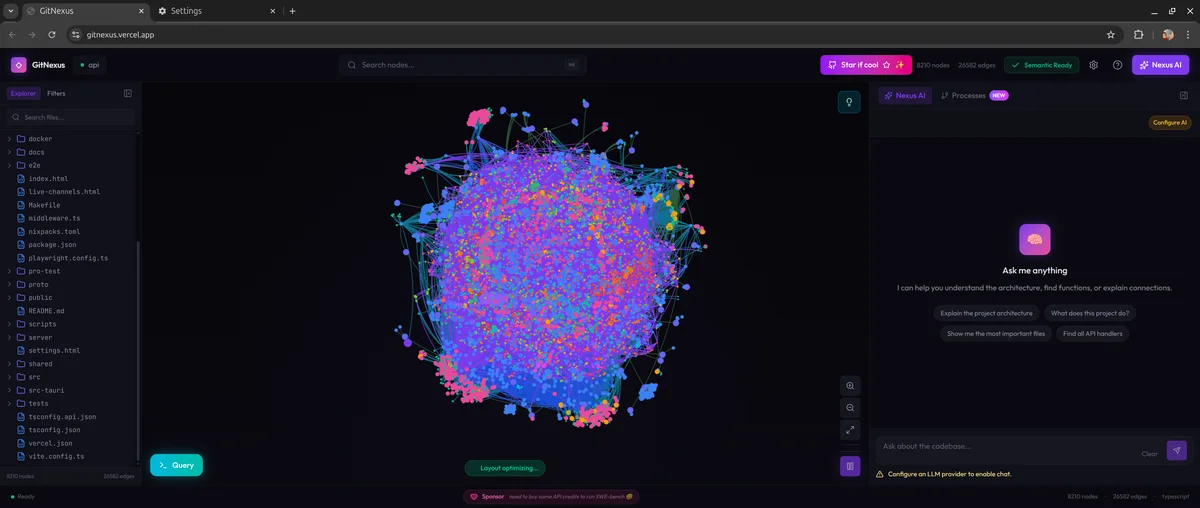
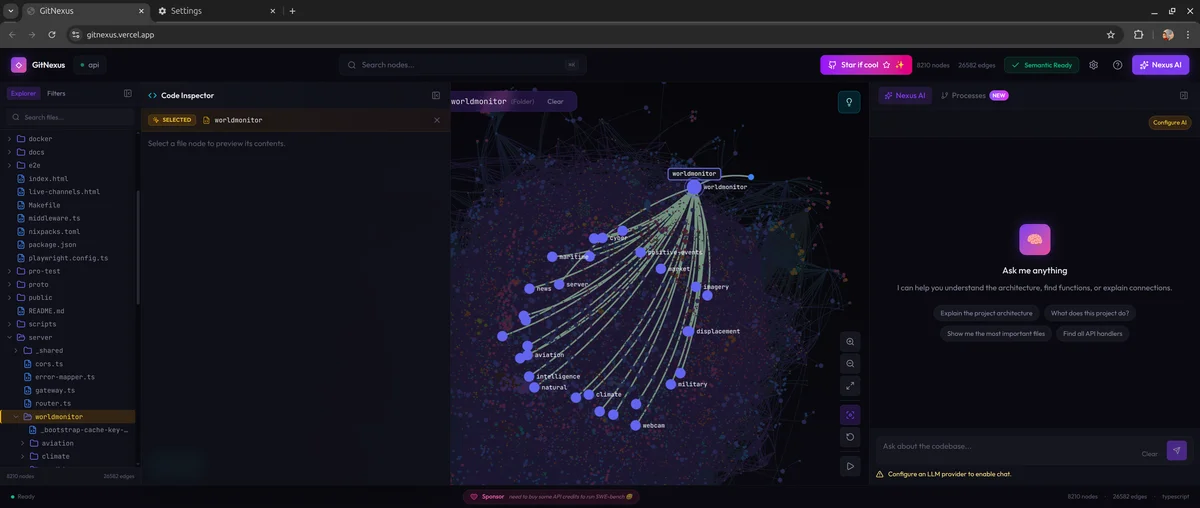
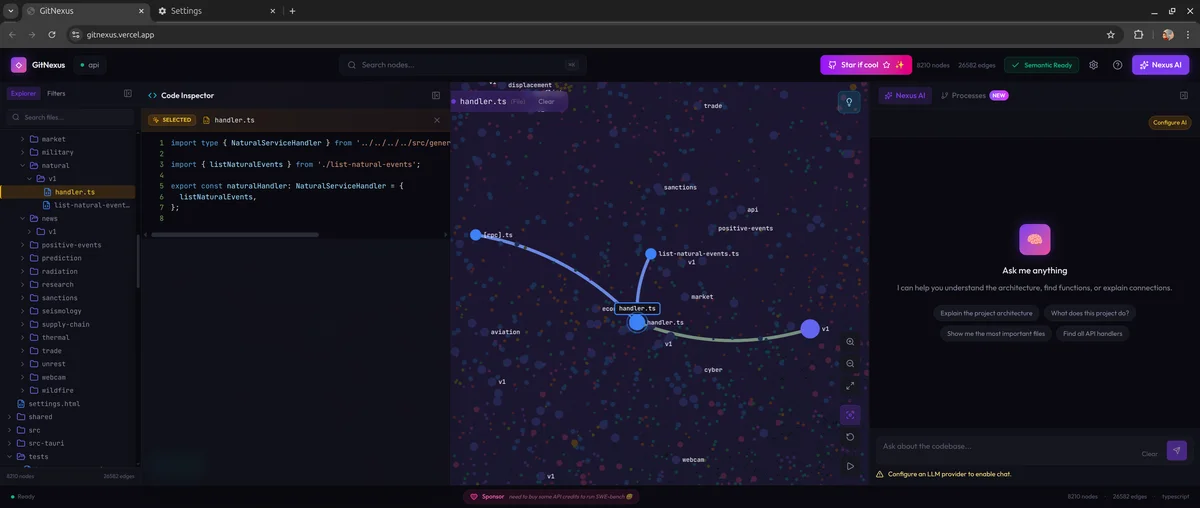
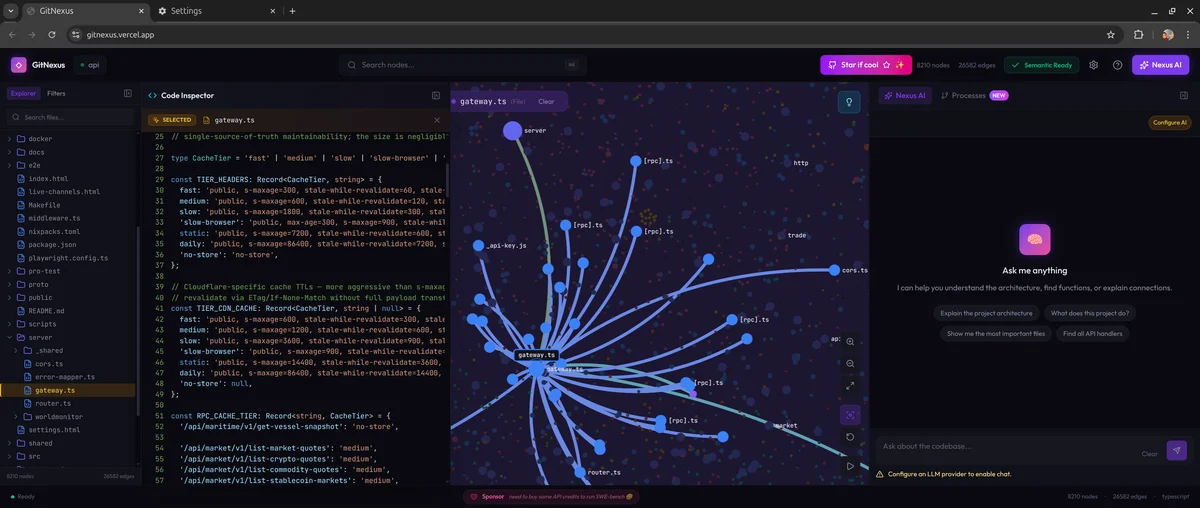
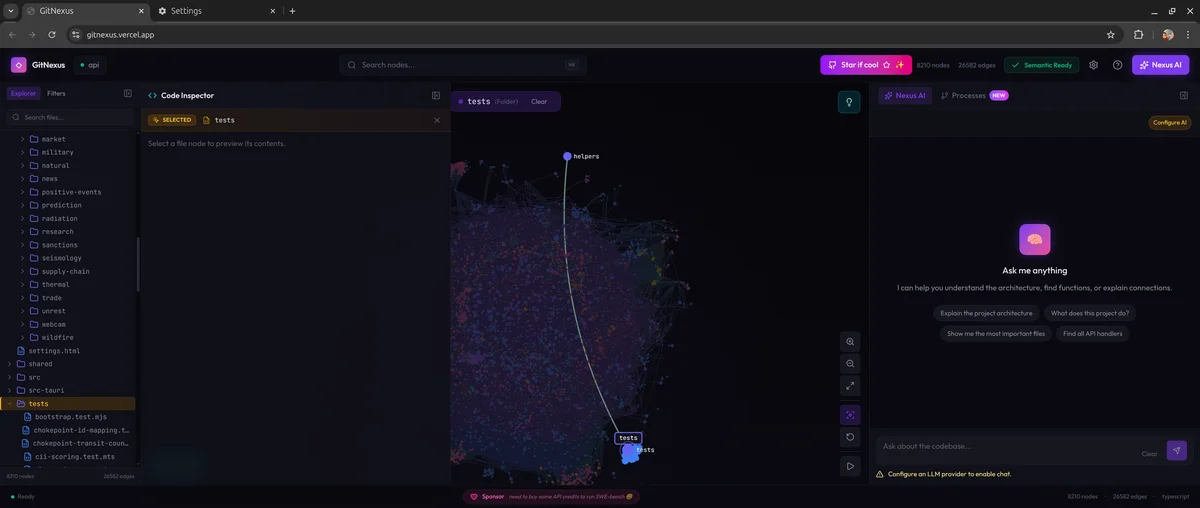
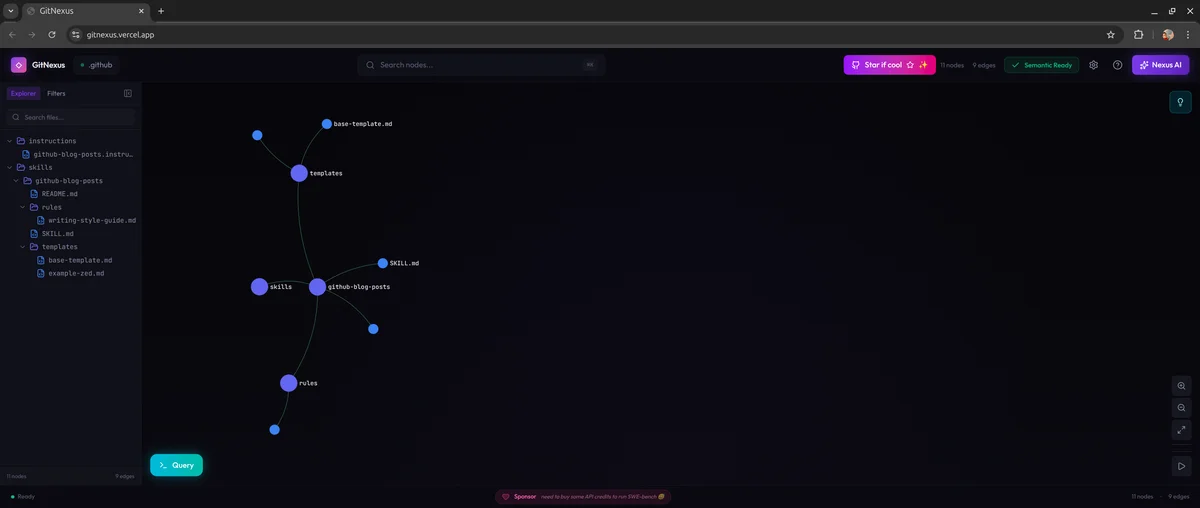
Gitnexus is an MCP tool that helps AI agents better understand your codebase, enabling them to write higher-quality code. It also provides a graph-based interface here that allows you to visualize and better understand how the system works.
- What it solves: Builds a knowledge graph of your codebase and exposes it through MCP tools so AI agents understand the impact of each change
- Why it matters: Without it, AI refactors code that looks good in isolation but accidentally breaks 47 dependent functions it never sees
- Best for: Developers using Cursor, Claude Code, Windsurf, or any AI coding assistant
- Key differentiator: Precomputes graph intelligence (clustering, execution flow, blast radius) instead of hoping the LLM explores enough
Part 1: Foundations — The Mental Model
Imagine you’re a surgeon about to operate. You have an X-ray that shows the bone, but you can’t see the nerves, blood vessels, or how they connect. You make a cut — and hit an artery nobody mentioned.
That’s exactly what happens when AI agents edit code today.
Tools like Cursor, Claude Code, Windsurf, and Cline are incredibly powerful code editors. But they share a fundamental blind spot: they don’t truly understand the structure of your codebase. They see files, they see functions, but they don’t see the invisible web of dependencies connecting everything together.
Here’s the typical failure pattern:
- You ask the AI to refactor
UserService.validate() - The AI edits it perfectly in isolation
- It doesn’t know 47 functions depend on its return type
- Breaking changes ship to production
GitNexus solves this by building a complete knowledge graph of your codebase — every function call, import, class inheritance, and execution flow — then exposing it through smart tools via the Model Context Protocol (MCP).
Think of it this way:
Without GitNexus: Your AI agent navigates your codebase like a tourist with a map of street names.
With GitNexus: Your AI agent navigates like a local who knows every shortcut, every dead-end, and every one-way street.
Part 2: The Investigation — How GitNexus Builds Its Brain
The Multi-Phase Indexing Pipeline
When you run npx gitnexus analyze, something remarkable happens behind the scenes. GitNexus processes your codebase through a six-stage pipeline:
| |
Stage 1 — Structure: Maps the file tree and folder relationships. This is the skeleton.
Stage 2 — Parsing: Uses Tree-sitter to extract every function, class, method, and interface from 11 languages: TypeScript, JavaScript, Python, Java, C, C++, C#, Go, Rust, PHP, and Swift.
Stage 3 — Resolution: The magic happens here. GitNexus resolves imports and function calls across files with language-aware logic. It doesn’t just know that auth.ts exists — it knows that handleLogin() in auth.ts calls validate() in user.ts with 90% confidence.
Stage 4 — Clustering: Groups related symbols into functional communities using graph algorithms via Graphology. Your auth functions, database layer, and API routes naturally cluster together.
Stage 5 — Processes: Traces execution flows from entry points through entire call chains. It maps out “LoginFlow” as a 7-step process from route handler → validation → database → response.
Stage 6 — Search: Builds hybrid search indexes combining BM25 (keyword), semantic embeddings (via HuggingFace transformers.js), and Reciprocal Rank Fusion for fast retrieval.
The Core Innovation: Precomputed Intelligence
Traditional Graph RAG approaches dump raw graph edges on the LLM and hope it explores enough. GitNexus precomputes at index time — clustering, tracing, confidence scoring — so every tool call returns complete context in a single query.
This means:
- LLMs can’t miss context — it’s already in the tool response
- Token efficiency — no 10-query chains to understand one function
- Model democratization — smaller LLMs work because tools do the heavy lifting
The Tech Stack
GitNexus runs in two modes, each with the appropriate tech:
| Layer | CLI (Local) | Web (Browser) |
|---|---|---|
| Parsing | Tree-sitter native | Tree-sitter WASM |
| Database | KuzuDB native | KuzuDB WASM |
| Embeddings | transformers.js (GPU/CPU) | transformers.js (WebGPU/WASM) |
| Agent Interface | MCP (stdio) | LangChain ReAct agent |
| Visualization | — | Sigma.js + Graphology (WebGL) |
Everything stored in KuzuDB, an embedded graph database with vector support — no external database server needed.
Part 3: The Diagnosis — What GitNexus Actually Does for Developers
7 Tools That Give AI Agents X-Ray Vision
When you connect GitNexus via MCP to your editor, your AI agent gains access to 7 powerful tools:
1. impact — Blast Radius Analysis
Before you touch any code, ask: “What will break?”
| |
This is like having a senior engineer who’s memorized the entire codebase saying: “If you change UserService, these 4 things WILL break, and these 2 things MIGHT break.”
2. query — Process-Grouped Search
Not just “find files containing X”, but “find the processes and execution flows related to X”:
| |
3. context — 360° Symbol View
Get the complete picture of any symbol — who calls it, what it calls, and which processes it participates in:
| |
4. detect_changes — Pre-Commit Safety Net
Before you commit, understand the true impact of your changes:
| |
5. rename — Multi-File Coordinated Rename
Not a simple find-and-replace, but a graph-aware rename that understands the difference between a function named validate and a comment containing the word “validate”:
| |
6 & 7. cypher and list_repos
Raw Cypher graph queries for power users, and repository discovery for multi-repo setups.
Real-World Use Case: Python Developers
Imagine you’re working on a Django project with 200+ models. You need to rename a model field. Without GitNexus, you’d:
grepfor the field name (picks up comments, strings, unrelated matches)- Manually trace serializers, views, and templates
- Hope you didn’t miss a queryset filter somewhere
With GitNexus: impact({target: "User.email", direction: "upstream"}) → instant complete dependency map.
Part 4: The Resolution — Getting Started
CLI Quick Start (Recommended)
| |
Connect to Your Editor
| |
Editor Support Matrix
| Editor | MCP | Skills | Hooks | Support Level |
|---|---|---|---|---|
| Claude Code | ✅ | ✅ | ✅ PreToolUse | Full |
| Cursor | ✅ | ✅ | — | MCP + Skills |
| Windsurf | ✅ | — | — | MCP |
| OpenCode | ✅ | ✅ | — | MCP + Skills |
Web UI (Quick Exploration)
No installation needed — just visit gitnexus.vercel.app. Upload a repo or paste a GitHub URL. Everything runs in your browser — no code is sent to any server.
Bridge Mode
Run gitnexus serve to connect CLI and Web:
| |
Wiki Generation
Generate LLM-powered documentation from your knowledge graph:
| |
The Final Mental Model
| Aspect | Description |
|---|---|
| What it is | A knowledge graph engine that indexes codebases into a queryable graph database |
| Core tech | Tree-sitter (AST) + KuzuDB (graph DB) + HuggingFace (embeddings) |
| Interface | 7 MCP tools for AI agents, CLI for developers, Web UI for exploration |
| Key insight | Precomputed relational intelligence > raw graph traversal |
| Languages | TypeScript, JavaScript, Python, Java, C, C++, C#, Go, Rust, PHP, Swift |
| Privacy | Everything runs locally (CLI) or in-browser (Web). Zero data leaves your machine |
| DeepWiki comparison | DeepWiki helps you understand code. GitNexus lets you analyze it |
GitNexus doesn’t replace your AI coding assistant — it gives your AI assistant a photographic memory of your entire codebase’s architecture. The result? Fewer breaking changes, smarter refactors, and AI agents that finally understand the code they’re editing.